
Check a chart pattern, then copy it to a platform
Wildflower Trading School · Lesson 2.3.6.6 · This exercise needs a Trade subscription

This is the sixth of eight lessons towards your own chart pattern strategy. Today is line seven, and the goal: your strategy, checked trade by trade, and on your own charts. The check is free on the practice chart. Copy to a platform needs a Trade subscription.
1 of 13
What you'll learn
- Press Backtest, pick the free Practice chart, and read the number of trades first.
- Go through the trades and say I'd take it or I'd stay out on each one.
- Use Why no trade here? on a candle where you saw the shape.
- Press Copy to a platform and pick TradingView. Copying needs Trade.
- Write line 7. How many trades you went through, and your platform.
Exercise
- Choose Trade or Automate on Plans if you want to copy to a platform. The check is free.
- Open your strategy in Strategies, press Backtest, check your rules, pick Practice chart and Show me the results.
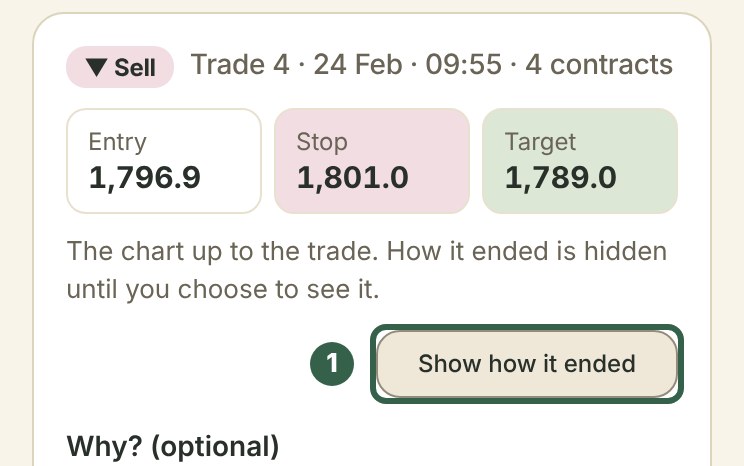
- Read the number of trades first, then press Go through the trades and mark each one.
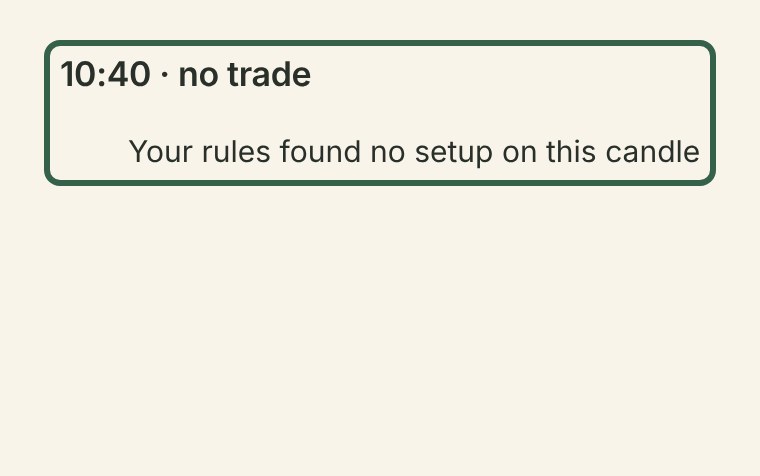
- Use Why no trade here? in Replay on a candle where you saw the shape.
- Press Copy to a platform, pick your platform, then write line 7.
- Help article Go through your backtest's trades
- Help article Copy your strategy to TradingView or another platform
- Help article Copy your strategy to TradingView
Quick check
1. What do you read first on the results page?
2. Which step needs a Trade subscription?
3. The Ready page draws 14 setups, and the Backtest took 9 trades. Why can they differ?
0 of 3 answered.
Finished this lesson?
Tick it off and keep your place
Read the full notes
A backtest total hides trades your rules took that you wouldn't have, and a shape you saw that your rules didn't. In Wildflower, open your strategy and press Backtest, pick the free Practice chart, and press Show me the results. Read the number of trades first, go through each trade, and use Why no trade here? on a candle you expected to trade. Then, with a Trade subscription, press Copy to a platform and pick TradingView, so the same entries, stops and targets show on your own charts.
What you're building. The sixth of eight lessons towards your own chart pattern strategy. Lessons 1 to 5 wrote lines 1 to 6. Today is line 7, and the goal. Next lesson is for changing line 1.
| My chart pattern rule |
|---|
| 1. The shape: … (top, bottom, or both) |
| 2. A break or a bounce: … |
| 3. Swings: … candles each side, the break within … candles |
| 4. Its numbers: flat … ticks, same level … ticks, … to … candles |
| 5. Harmonics only: each ratio's smallest … and largest … |
| 6. Stop … ticks, target … times, $… a trade, …-minute candles, … to … New York |
| 7. Checked: … trades gone through, and on my platform: … |
The check is free on the practice chart. Copy to a platform needs Trade.
Why. Sam is made up, and so are his numbers. A total hides the trades inside it, and a shape you saw that didn't trade is the quickest way to find a gap. The same steps for a candle pattern, in more detail: Check your pattern on your strategy's chart.
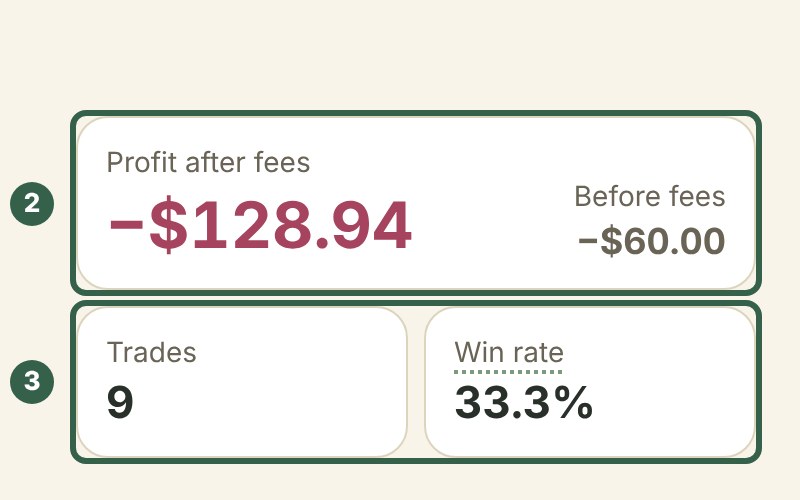
| Sam's gold triangle, Version 1, practice chart | |
|---|---|
| Dates | 3 Feb to 26 May |
| Trades | 9 (3 won) |
| Profit before fees | −$60.00 |
| Profit after fees | −$128.94 |
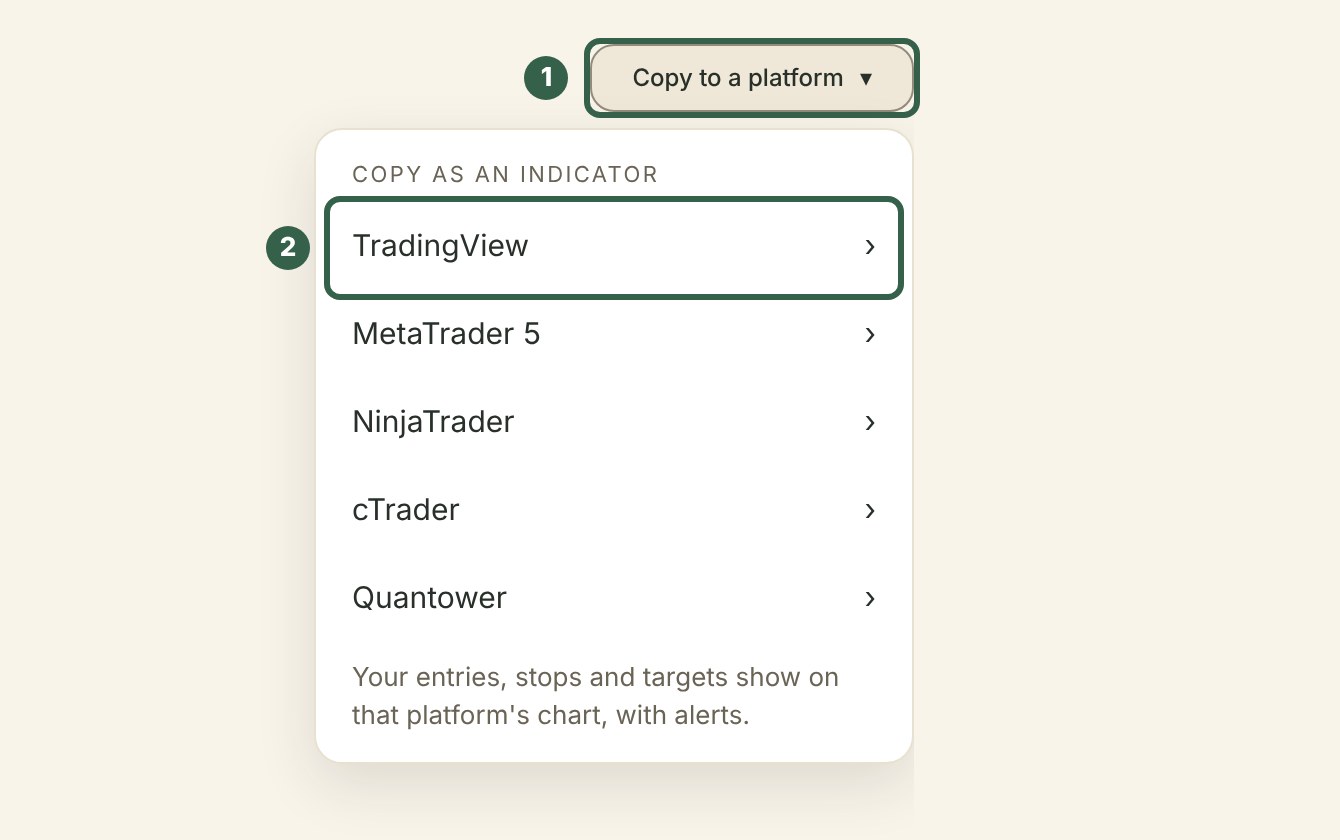
How traders finish the check. We can't tell you which to choose. These are the common choices. The platform they already watch. Copy now, or after a run on the demo (Run your strategy forward on the demo). Watching only, or alerts too. Install steps: Put your strategy on TradingView.
Worked example
Made-up numbersSam's line 7
Sam is made up. Version 1 on the practice chart, 3 February to 26 May, $200 a trade.
- 9 trades, 3 won. −$60 before fees, −$128.94 after, about $7.66 of fees a trade.
- He goes through all 9, deciding I'd take it or I'd stay out before Show how it ended.
- He checks the 10:40 candle on 6 February in Why no trade here?. His trade came one candle later.
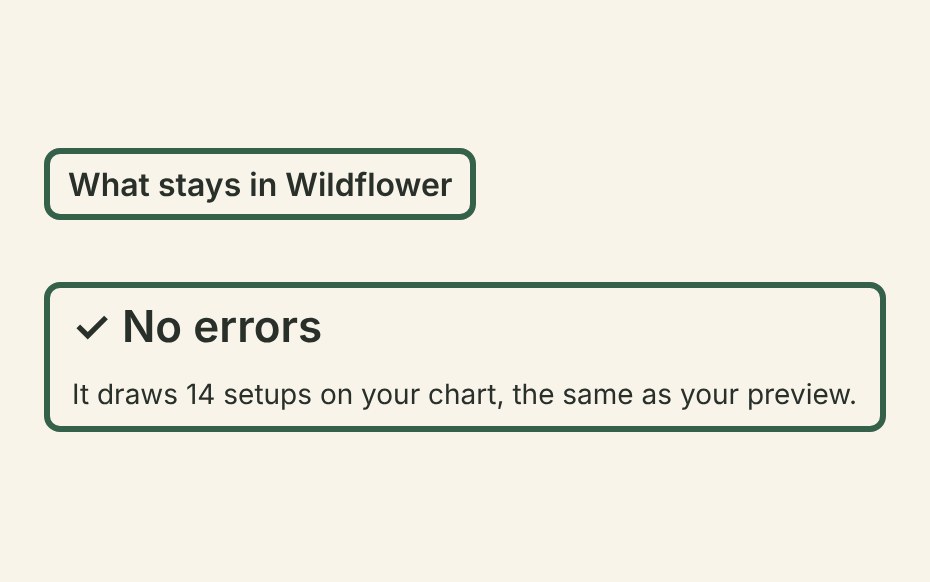
- He copies it to TradingView. It draws 14 setups, not trades.
Line 7: 9 trades on the practice chart, gone through one by one, and on TradingView. Too few to judge the strategy, enough to check the rule.
Trading is risky. You can lose money. This lesson shows how Wildflower works. It isn't advice.