
Build a trend filter with ADX or the cloud
Wildflower Trading School · Lesson 3.2.29.5 · This exercise is free

Same goal as every lesson in this set: a setup card for every setup you trade: described in your own words in Wildflower, every number yours, one box tried three ways on the practice chart, and compared with a plain entry. By the end of today, you'll have Sam's trend filter card filled in, and your own filtered strategy saved in Wildflower.
1 of 13
What you'll learn
- Describe your signal and its filter in words from Strategies, then New strategy.
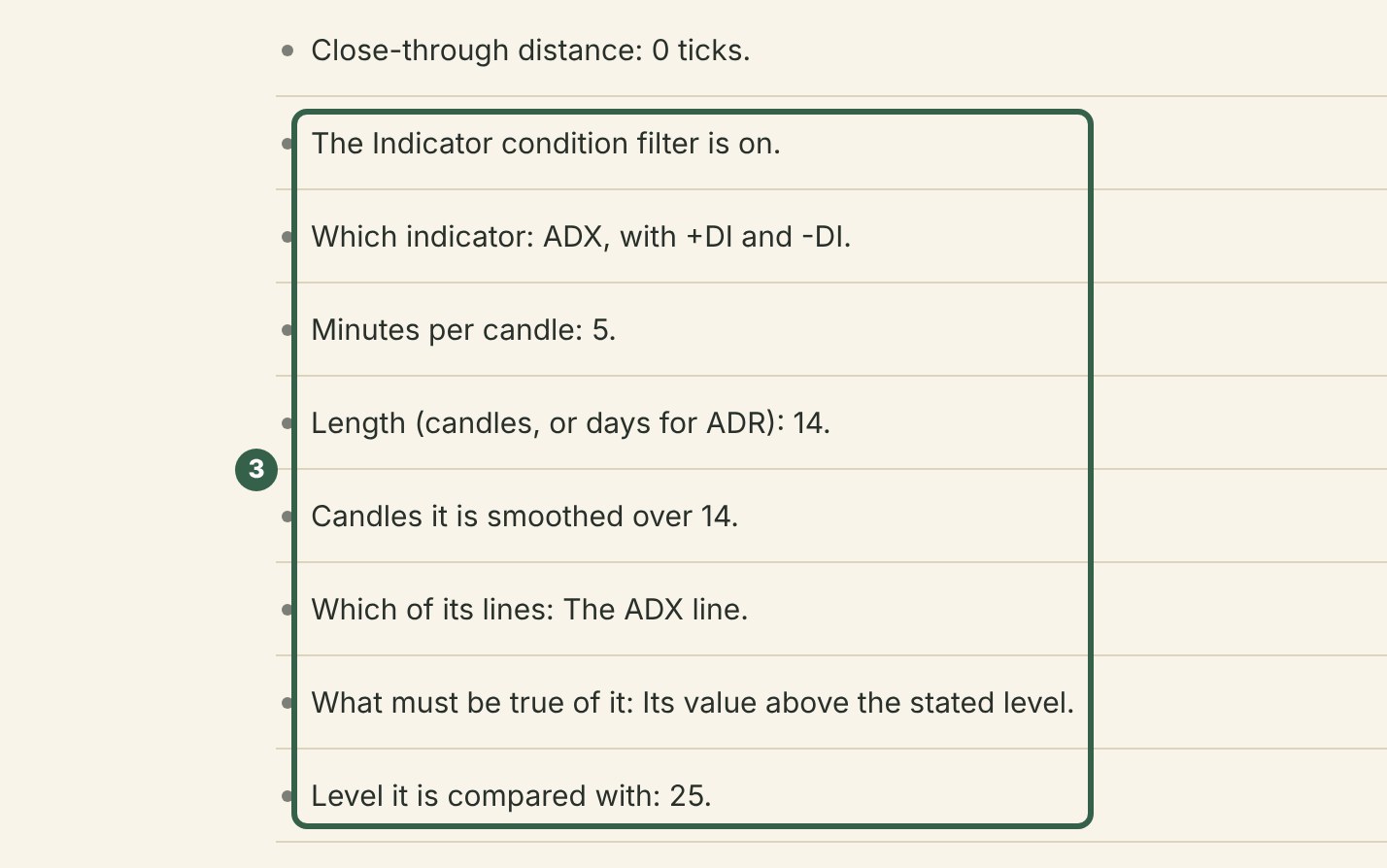
- Read the filter back on Check my rules, to see ADX, its length and its level.
- Try three ADX levels on the Filter step with Help me choose, then Try a few.
- A higher level lets fewer trades through, not always better ones.
- Compare with a plain 10:00 entry on the same days, after fees.
Exercise
- Start a new setup card: copy the seven lines above onto paper or into a note.
- Open Strategies and press New strategy.
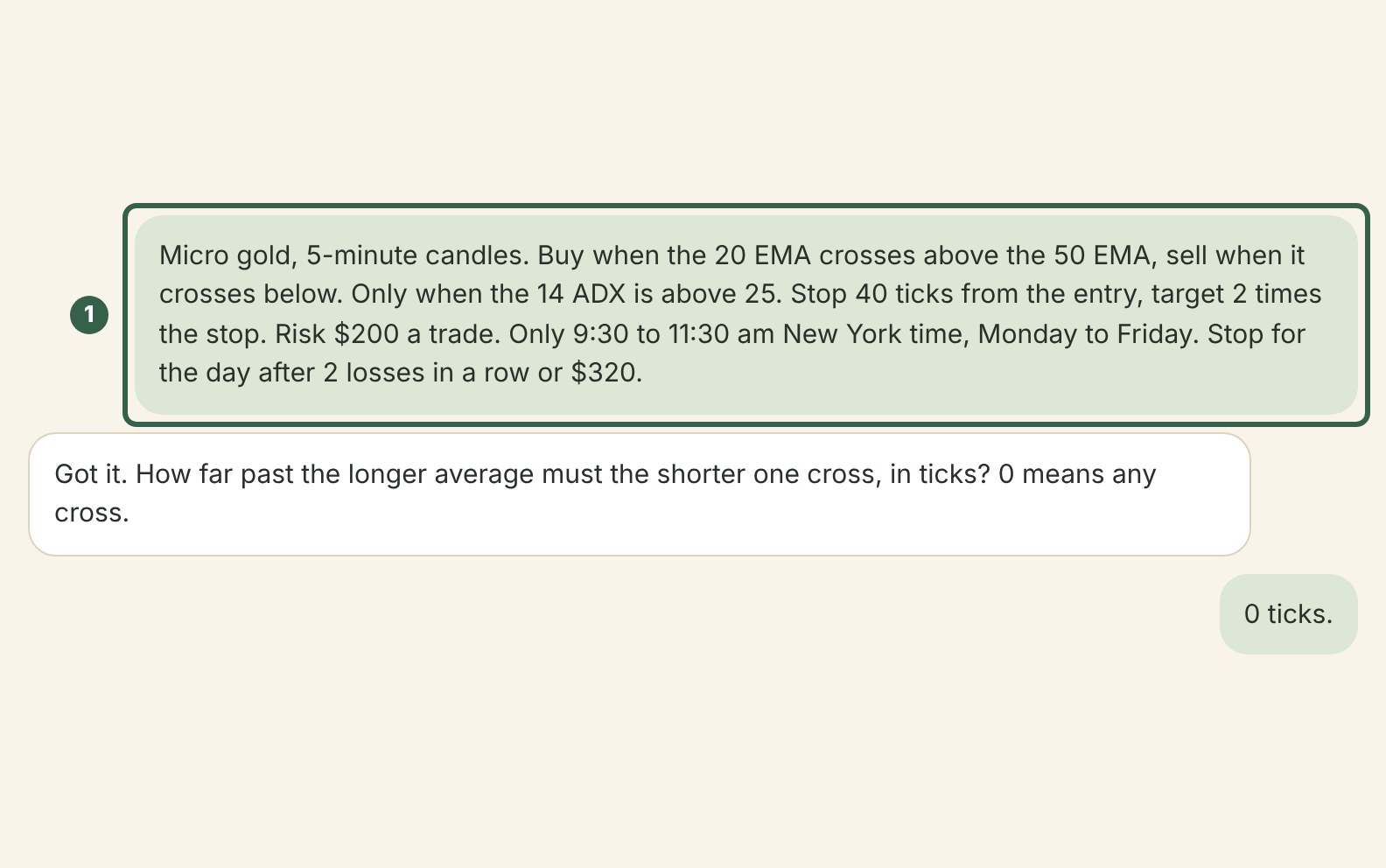
- Describe your signal and its trend filter in your own words, such as only when the 14 ADX is above a level, with your stop, target, risk and hours. Answer every question, then press Check my rules.
- Read the filter back, and fill in lines 1, 2 and 4.
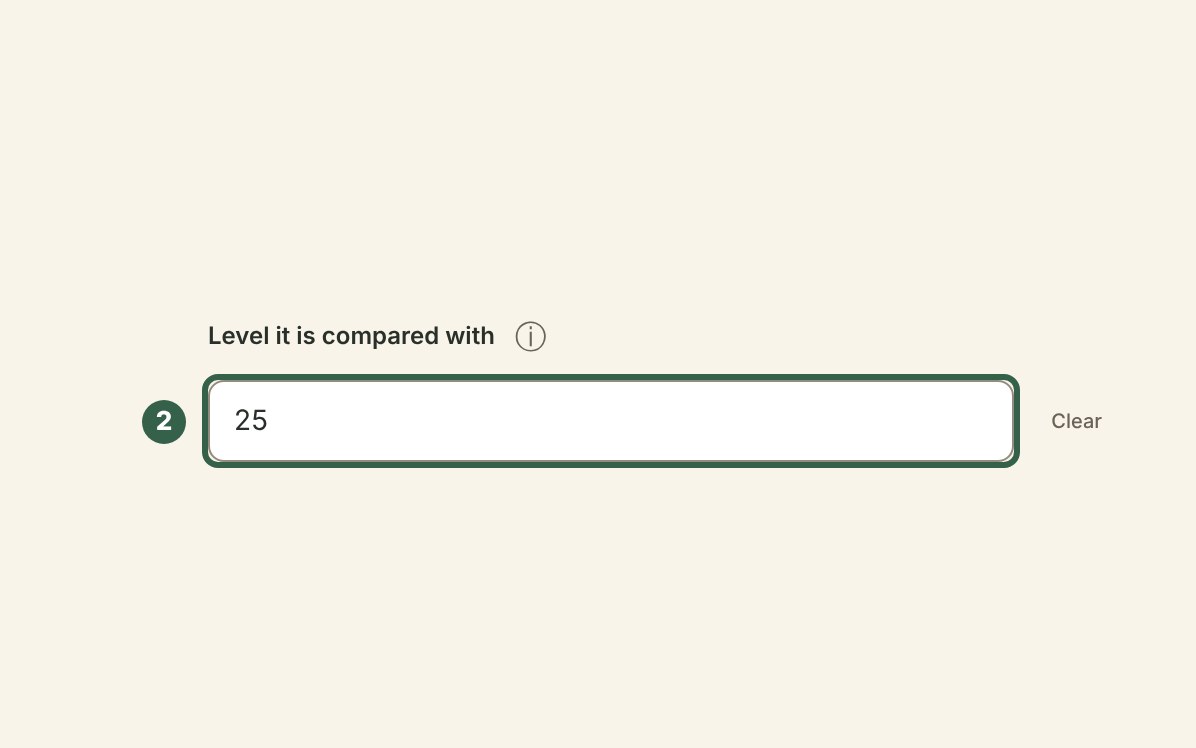
- Open your strategy in Strategies and press Change a rule. Press the Filter step and click into Level it is compared with.
- Press Help me choose, type three levels under Try a few, and press Run.
- Make the plain entry. On your strategy press Change a rule. On the Signal step press ⋯, then Change, and pick Signal at a clock time. Type 600 in Time of the signal, pick The way that candle closed. On the Filter step press ⋯, then Remove, so the plain entry has no filter. Press Save. Run it in Backtest on the Practice chart, and that's your line 5.
- Fill in lines 6 and 7. Take about $8 a trade off Try a few's profit for fees.
- Help article Describe your strategy in your own words
- Help article The indicator condition gate
- Help article Help me choose a setting
Quick check
1. Where is the box Sam tests in this lesson?
2. Sam raised the ADX level from 20 to 30. What happened?
3. ADX above 20 made $1,260 before fees on 23 trades. About what is that after fees?
0 of 3 answered.
Finished this lesson?
Tick it off and keep your place
Read the full notes
A trend filter lets a signal trade only when the market is trending. ADX measures how strong a trend is, whichever way. In Wildflower, open Strategies, press New strategy and describe your signal with the filter in your own words, such as only when the 14 ADX is above 25. Wildflower adds it as a Filter step, Indicator condition. Press Check my rules, then Change a rule, open the Filter step, click into Level it is compared with and try three levels with Try a few on the free practice chart. The Ichimoku cloud is another trend filter, set up the same way.
What you're building. These lessons share one goal: a setup card for every setup you trade: described in your own words in Wildflower, every number yours, one box tried three ways on the practice chart, and compared with a plain entry. Today you start a new card for a trend filter on a crossover. Last lesson built the crossover alone; next lesson builds a channel breakout.
| My setup card |
|---|
| 1. The setup: … (what price must do, and where) |
| 2. Its clock or its levels: … |
| 3. The box I test: …, tried at …, … and … |
| 4. Stop … ticks, target … times the stop, $… a trade, … to … New York |
| 5. A plain entry at 10:00 each day, same stop and target: … trades, $… after fees |
| 6. What the test showed: … trades, … won, $… after fees |
| 7. My pick, and why: … |
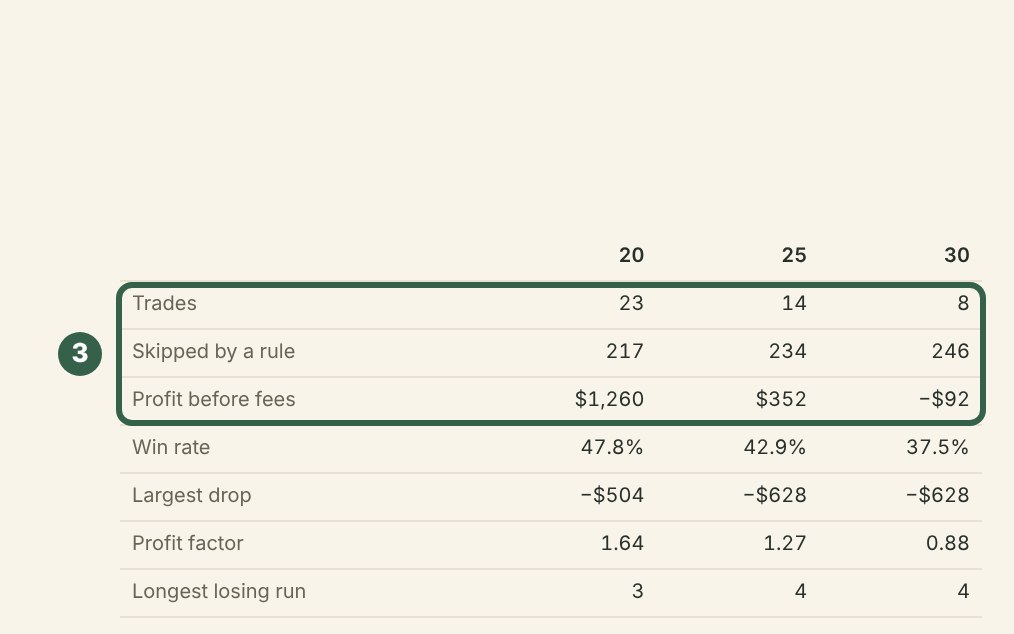
Why. Sam is made up, and so are his numbers. They're real runs of Wildflower's engine on the free practice chart's made-up prices. With ADX above 20, his crossover made $1,260 before fees on 23 trades. Above 30, it lost $92 on 8. How the filter works: Choosing an ADX level and Common ADX trend filter rules.
| Run | Trades | Won | Before fees | After fees | Largest drop |
|---|---|---|---|---|---|
| Plain 10:00 entry | 72 | 31 (43.1%) | +$2,180 | +$1,628.48 | −$1,364 |
| ADX above 20 | 23 | 11 (47.8%) | +$1,260 | +$1,083.82 | −$504 |
| ADX above 25 | 14 | 6 (42.9%) | +$352 | +$244.76 | −$628 |
| ADX above 30 | 8 | 3 (37.5%) | −$92 | −$153.28 | −$628 |
The plain entry. The first row is the same strategy with its signal changed to Signal at a clock time: 10:00 New York each day, the way that 5-minute candle closed, with no filter, same stop, target, risk and hours. Each strategy's made-up prices are its own, so this plain entry differs from last lesson's. Here no filter level beat it.
How traders set a trend filter. We can't tell you which to choose. These are the common choices. ADX above 20 or 25, a trend of any strength. ADX above 30 or 40, only strong trends. Or the Ichimoku cloud: buy only above the cloud, sell only below it, as another Indicator condition.
Worked example
Made-up numbersSam's trend filter card
Sam is made up. $20,000 account, micro gold at $1 a tick for each contract, $200 a trade with a 40-tick stop, 4 contracts.
- Line 1: the 20 EMA crossing the 50 EMA, only when the 14 ADX on 5-minute candles is above a level.
- Line 3: Level it is compared with, tried at 20, 25 and 30.
- Line 6: at 20, 23 trades and 11 won. $1,260 before fees, minus about $8 × 23 = $176 in fees, is $1,084 after.
Line 7 is Sam's own pick. He writes that no level beat the plain entry on these prices, so the filter isn't earning its place yet. Made-up prices, an example, not advice.
Trading is risky. You can lose money. This lesson shows how Wildflower works. It isn't advice.