
Trade with the bigger trend
Wildflower Trading School · Lesson 7.12.1.4 · This exercise is free

Last time you set what counts as a swing. Today you add a Filter, a step that skips trades that fail it. By the end, you'll have line five of your log.
1 of 11
What you'll learn
- A Filter skips trades that fail it.
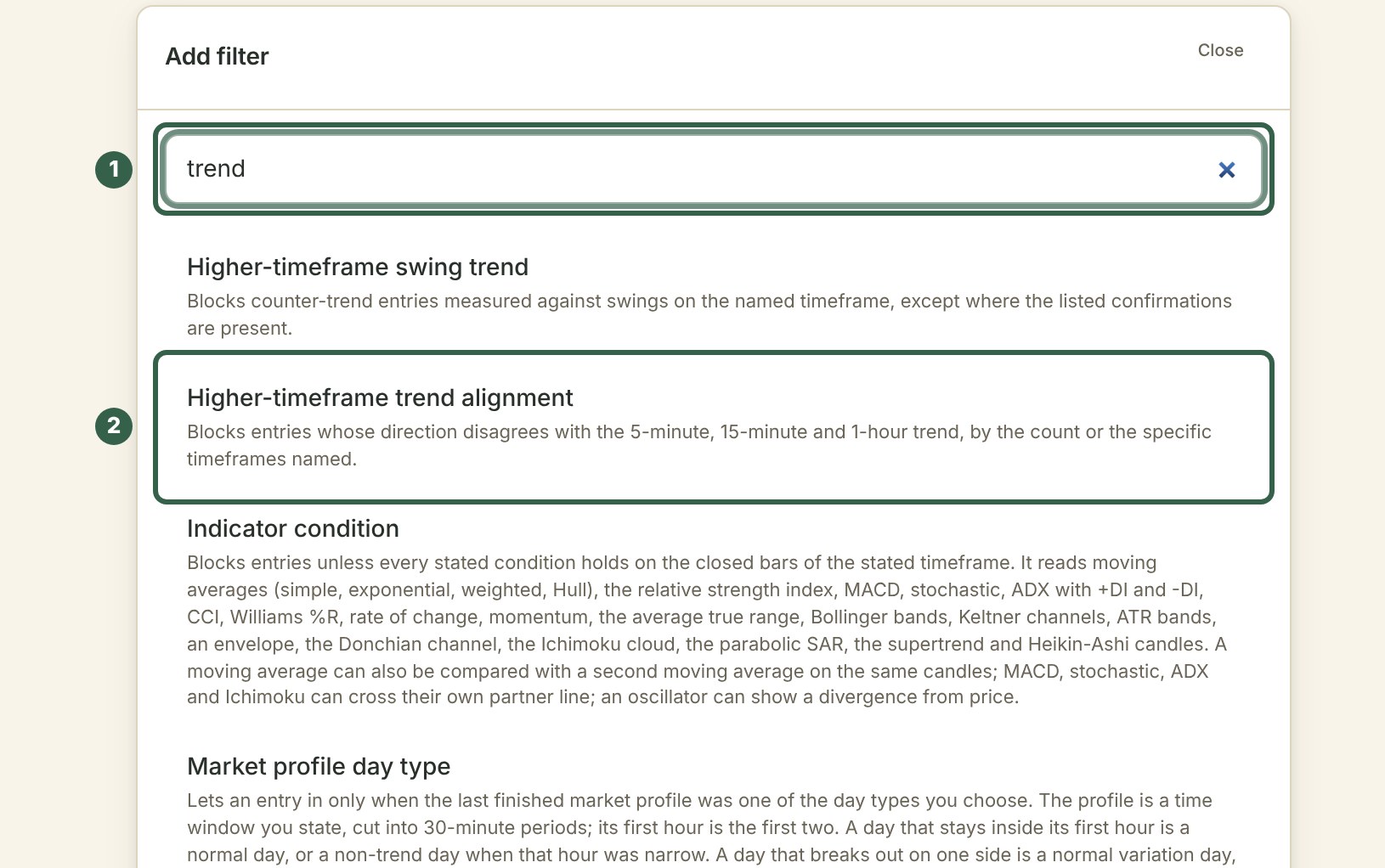
- Press + Add a step, then Filter, and search for trend.
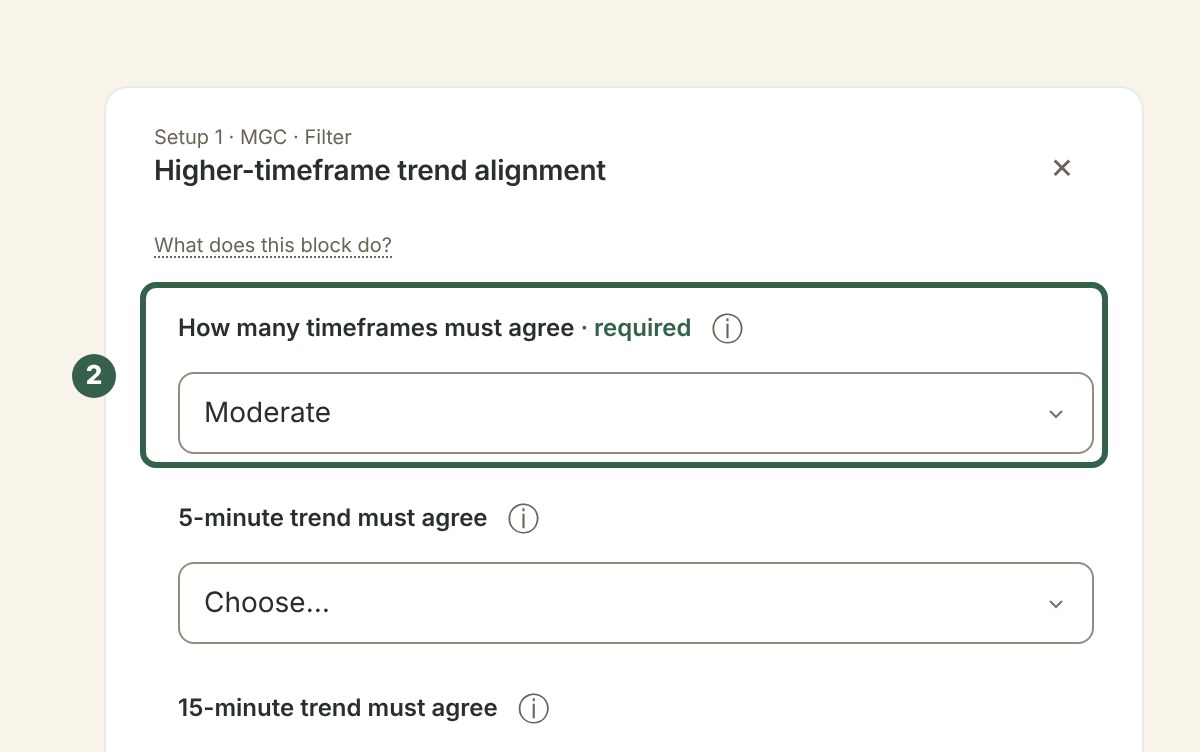
- How many timeframes must agree sets how strict it is.
- Try Off, Moderate and Strict with Try a few.
- Test a filter on held-back days before you trust it.
Exercise
- Open your strategy in Strategies and press Change a rule.
- Press + Add a step, choose Filter, type trend and pick Higher-timeframe trend alignment.
- Set How many timeframes must agree to Moderate and Block every counter-trend entry to On. Press Save.
- Click How many timeframes must agree, then Help me choose. In Try a few, pick Off, Moderate and Strict, and press Run.
- Write line 5: the setting, its profit against Off, and a note to test it on held-back days.
- Help article Entry gates and score floors
- Help article The block builder
- Help article Help me choose a setting
Quick check
1. What does a Filter step do?
2. Sam's filter won on the days he looked at. What does he do before trusting it?
3. Which setting wants all three timeframes to agree?
0 of 3 answered.
Finished this lesson?
Tick it off and keep your place
Read the full notes
A Filter skips trades that fail it. Higher-timeframe trend alignment skips entries whose direction disagrees with the 5-minute, 15-minute and 1-hour trend. How many timeframes must agree sets how strict it is: Moderate wants most of them on your side, Strict wants all of them. In Wildflower, open your strategy's blocks with Change a rule, press + Add a step, choose Filter, search for trend and pick Higher-timeframe trend alignment. Set How many timeframes must agree and turn Block every counter-trend entry on, then press Save. Help me choose and Try a few run Off, Moderate and Strict side by side on the free practice chart. A filter you choose after seeing results needs testing on days you held back.
What you're building. These six lessons share one goal: your strategy read block by block: every part of your words found in its block, and one box in each kind of block changed and tried against the strategy as you described it. Today you fill in line 5.
| My under-the-hood log |
|---|
| 1. Each part of my words, and the block it became: … |
| 2. Buys only $…, sells only $…, both $… |
| 3. Signal: … changed from … to …: $… against $… |
| 4. Signal detail: … tried at …, … and …: … |
| 5. Filter: … : $… against $… |
| 6. Exit: … : $… against $… |
| 7. Whole account: … : $… against $… |
| 8. What I keep, and why: … |
Why. Sam is made up, and so are his numbers. They're real runs of Wildflower's engine on the free practice chart's made-up prices. A 5-minute break against the 1-hour trend often runs into the bigger move (Why look at more than one timeframe).
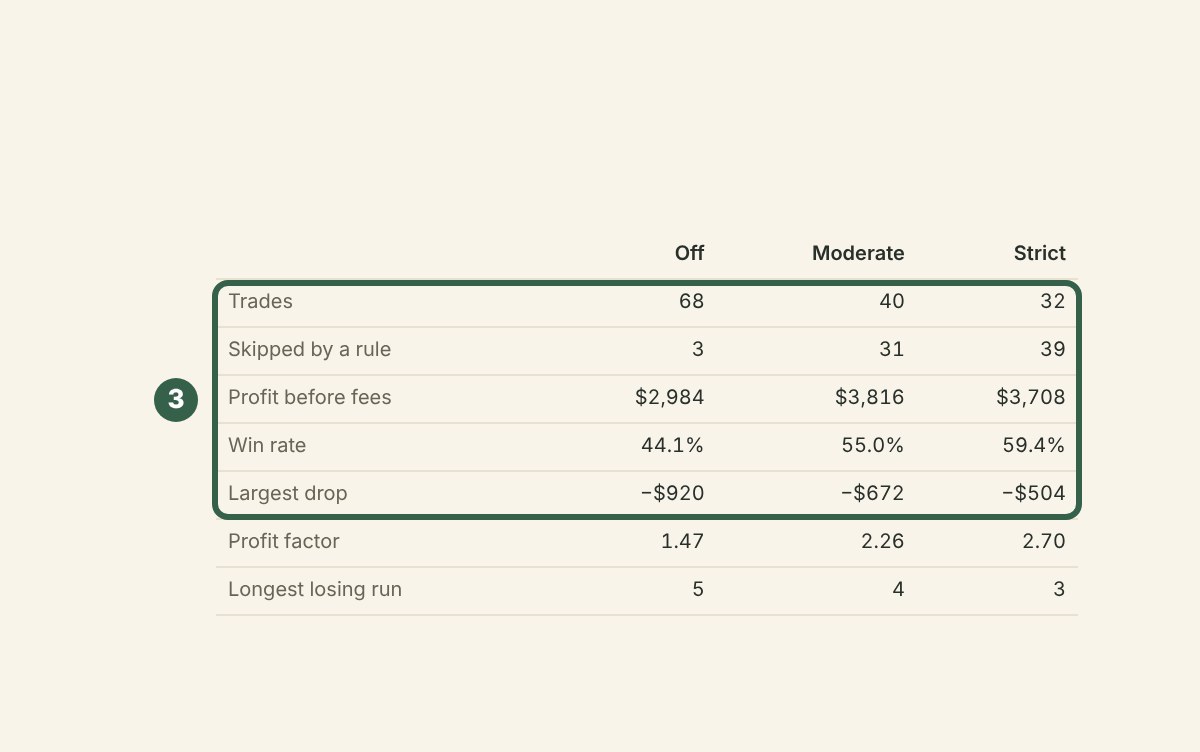
| Timeframes that must agree | Trades | Won | Before fees | After fees | Largest drop |
|---|---|---|---|---|---|
| Off, as he wrote it | 68 | 44.1% | +$2,984 | +$2,440 | −$920 |
| Moderate | 40 | 55.0% | +$3,816 | +$3,496 | −$672 |
| Strict | 32 | 59.4% | +$3,708 | +$3,452 | −$504 |
- Filters skip trades: by trend, by indicator, by time, by volatility and more. Search the list when you add one.
- Higher-timeframe trend alignment reads the 5-minute, 15-minute and 1-hour trend. You can also name which of them must agree.
- A filter chosen after seeing results may only fit those days. Test it on days you held back (Add a filter, then test it on days you held back), and see When a filter helps and when it overfits.
How traders use a trend filter. We can't tell you which to choose. These are the common choices. No filter, taking every break. Moderate, wanting most of the bigger trends on their side. Strict, wanting all of them and taking the fewest trades.
Worked example
Made-up numbersSam's line 5
Sam is made up. Sam's gold opening range, on the practice chart, 3 Feb to 26 May 2026, $2.00 a contract.
- Off, as he described it: +$2,984 before fees − 68 × $8 = +$2,440.
- Moderate: +$3,816 − 40 × $8 = +$3,496.
- Strict: +$3,708 − 32 × $8 = +$3,452.
Line 5: "Filter: trend alignment Moderate: $3,496 against $2,440." Next, a test on held-back days. Made-up prices, an example, not advice.
Trading is risky. You can lose money. This lesson shows how Wildflower works. It isn't advice.