
Set a price alert on your chart
Wildflower Trading School · Lesson 1.6.3.5 · This exercise needs a Trade subscription

This is the last of five lessons on setting Wildflower up the way you'll trade. By the end of this one, Wildflower will be watching a price for you, so you can look away from the chart.
1 of 11
What you'll learn
- Press the bell, then click your price. A dashed line and a bell label mark it.
- An alert places no trade. It only tells you the price was reached.
- Add a note so the message makes sense later.
- Drag the label to move it, or press its cross to remove it.
- More, then Alerts, lists the ones on and the ones reached lately.
Exercise
- Choose Trade or Automate on Plans, and connect your broker in Connections, if you haven't.
- Open Charts and pick a market.
- Press the bell, Alert at a price, then click the chart at a price you choose.
- Add a note, then press Done.
- Press More, then Alerts, and find it in the list.
- Remove it with the cross on its label.
- Help article Price alerts on Charts
Quick check
1. What does a price alert do when the price reaches it?
2. Why isn't the bell on the Practice chart?
3. You set an alert at a price above where the market is now. When does it go off?
0 of 3 answered.
Finished this lesson?
Tick it off and keep your place
Read the full notes
In Wildflower, open Charts, press the bell, Alert at a price, then click the chart at your price. Wildflower says which way it waits, above or below. Add a note and press Done. When the price gets there, Charts shows a message, and nothing is traded. More, then Alerts, lists them all.
What you'll do. This is how you set a price alert in Wildflower. By the end, Wildflower is watching a price for you. An alert places no trade and changes nothing in your accounts. It's Wildflower's version of the alert you set on TradingView.
What it needs. The Trade subscription and your broker connected. Alerts work on charts with your broker's live prices, including the Wildflower demo. The Practice chart's prices are made up, so it has no bell. Alerts also don't check while you replay a day.
- Open Charts and pick a market.
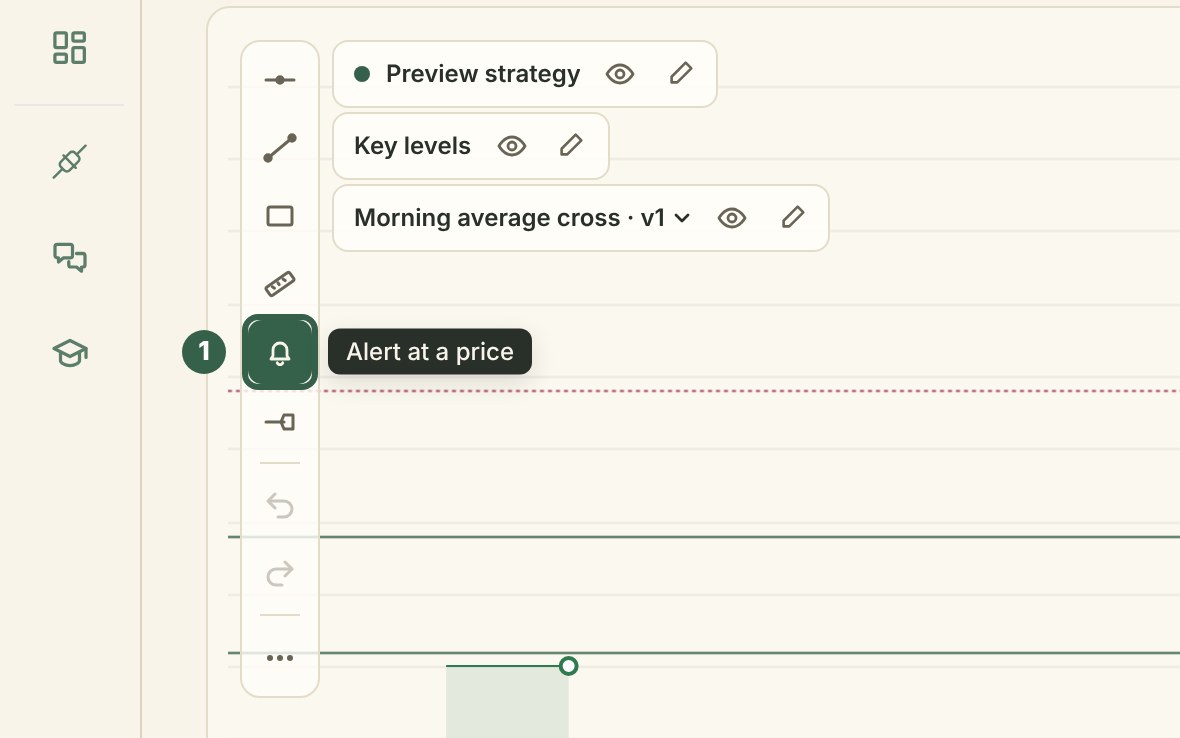
- Press the bell, Alert at a price, then click the chart at your price. Or right-click the price numbers on the right and choose Alert at. On a phone, press and hold there.
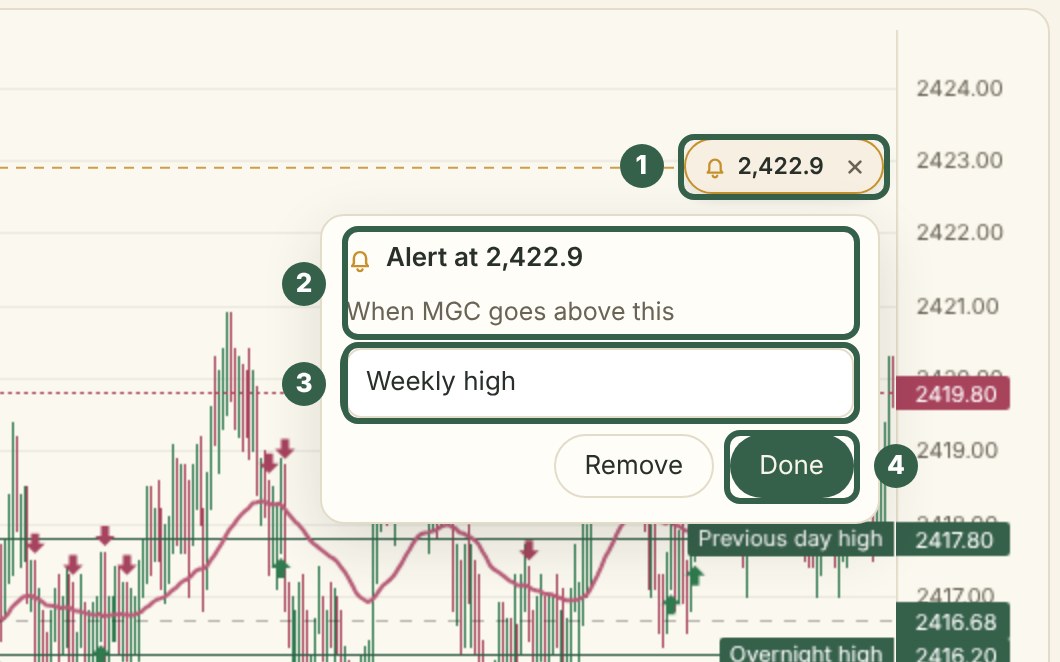
- Add a note if you like, up to 80 letters, then press Done.
Above or below. Wildflower works it out from where the price is when you set it. A price above waits for the price to rise to it. A price below waits for it to fall to it. You can't set one at the price it is now.
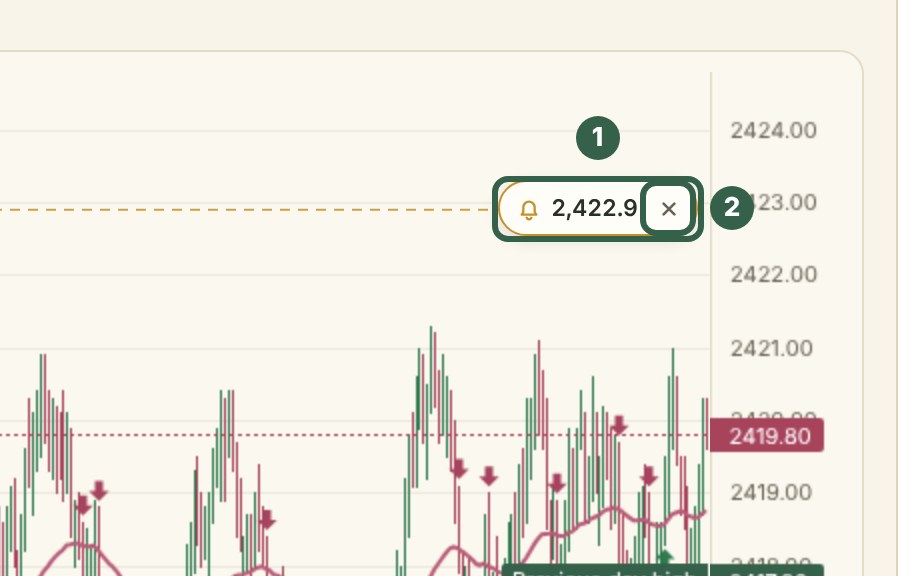
- Move it. Drag the bell label up or down. If you drag it past the price now, it waits on the other side.
- Change the note. Click the label.
- Remove it. Press the cross on the label, or Remove on its card.
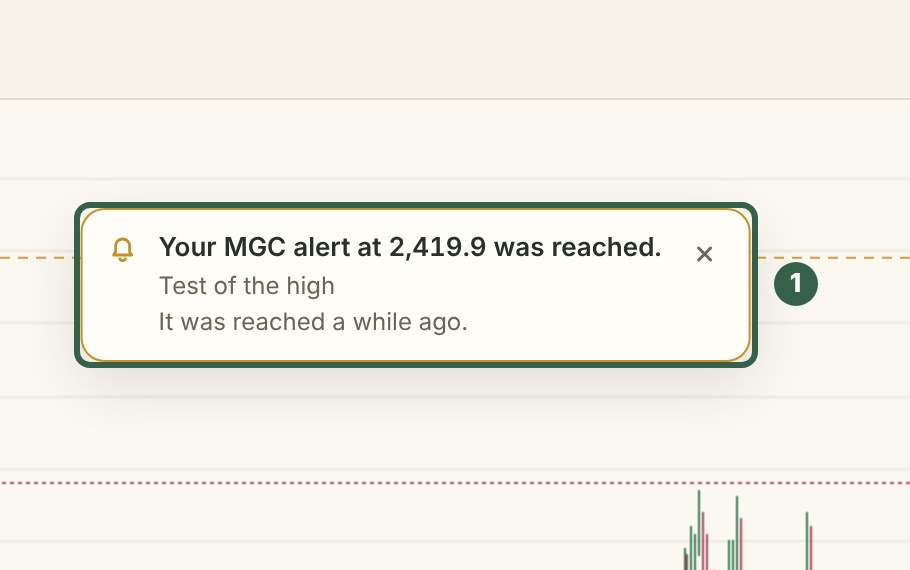
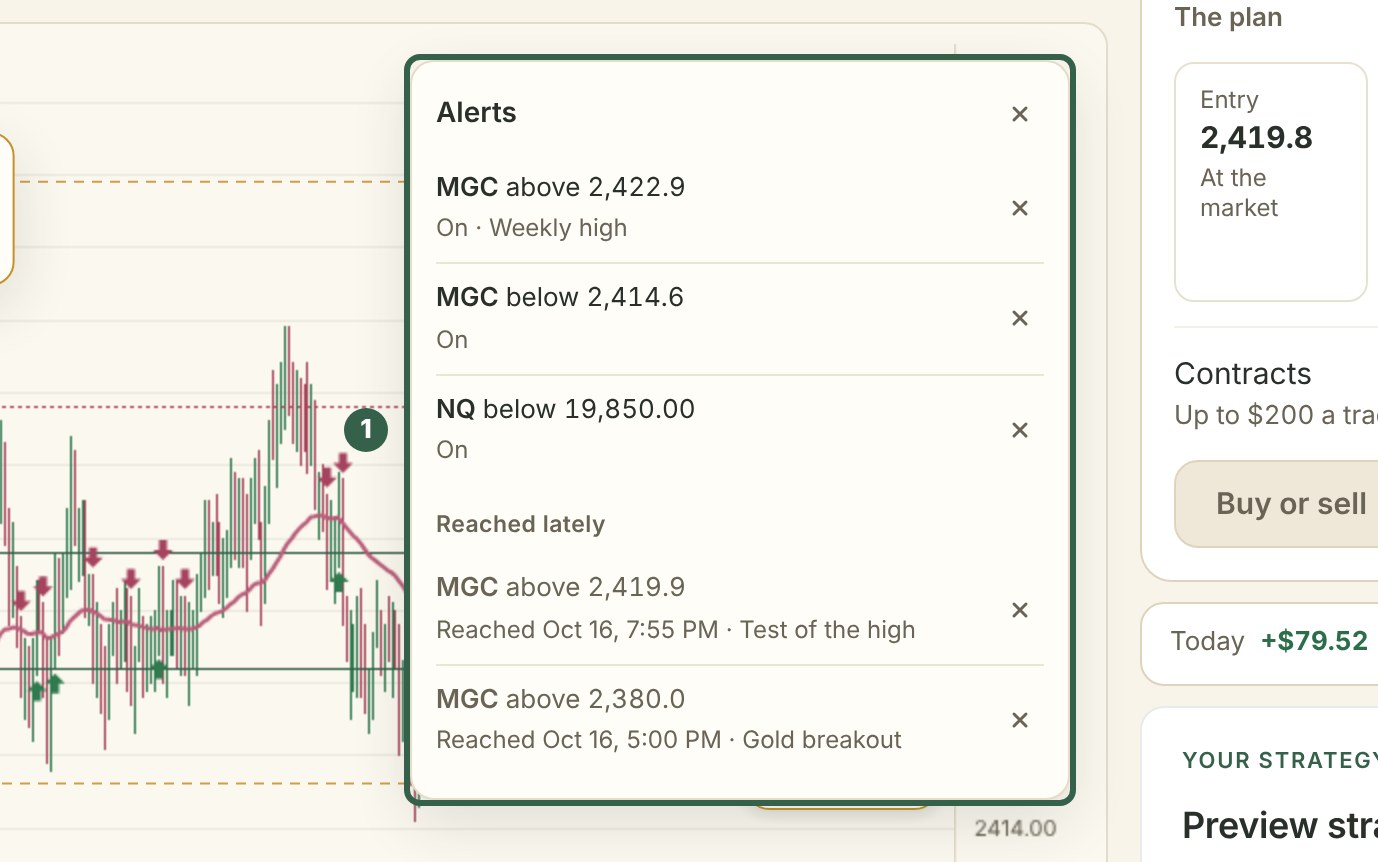
- When it goes off. Once, when the price reaches it or goes past it. Charts shows a message, and the alert shows as reached.
- Your phone. Wildflower can also send the message to your phone, with the market, your price and your note. The help article Price alerts on Charts says how to set up a phone.
- Where it's checked. On your own computer: on Charts while that market's chart is open, and in the Wildflower app with no chart open. If both see it, you get one message. Wildflower's servers keep your price and your note, never the market's prices.
- The list. It shows the ones that are on and the ones reached in the last 7 days. You can have 20 on at once.
How traders use alerts. We can't tell you which to choose. These are the common choices. Some set an alert at each level they marked, with a note saying why. Some set one where their written plan says to start paying attention. Some set one alert and step away from the screen until it goes off.
Worked example
Made-up numbersSam's alert
Sam is made up. Micro gold is at 2,419.8. Sam marked a weekly high at 2,422.9 earlier.
- Sam presses the bell, then clicks the chart at 2,422.9.
- 2,422.9 is above the price now, so the card says When MGC goes above this.
- Sam types the note Weekly high, presses Done, and looks away from the chart.
When micro gold reaches 2,422.9, Charts shows the message once. Nothing is traded.
Trading is risky. You can lose money. This lesson shows how Wildflower works. It isn't advice.