
Replay plays a finished backtest back to you, one candle at a time. Open a result and choose Replay, or open one trade and choose Replay this trade to start just before it.
To make the choices yourself as the days play, see Replay a strategy and trade it yourself.
What you see
The chart shows the candles up to the moment you are at; later candles stay hidden. As you step, each setup, each entry and its stop and target appear as they happened, and a short line says what happened, such as "Trade 21: bought 2 at 5,132.4. Stop 5,125.4, target 5,146.4." Below it, a short list shows what happened earlier, including the setups your rules didn't take.
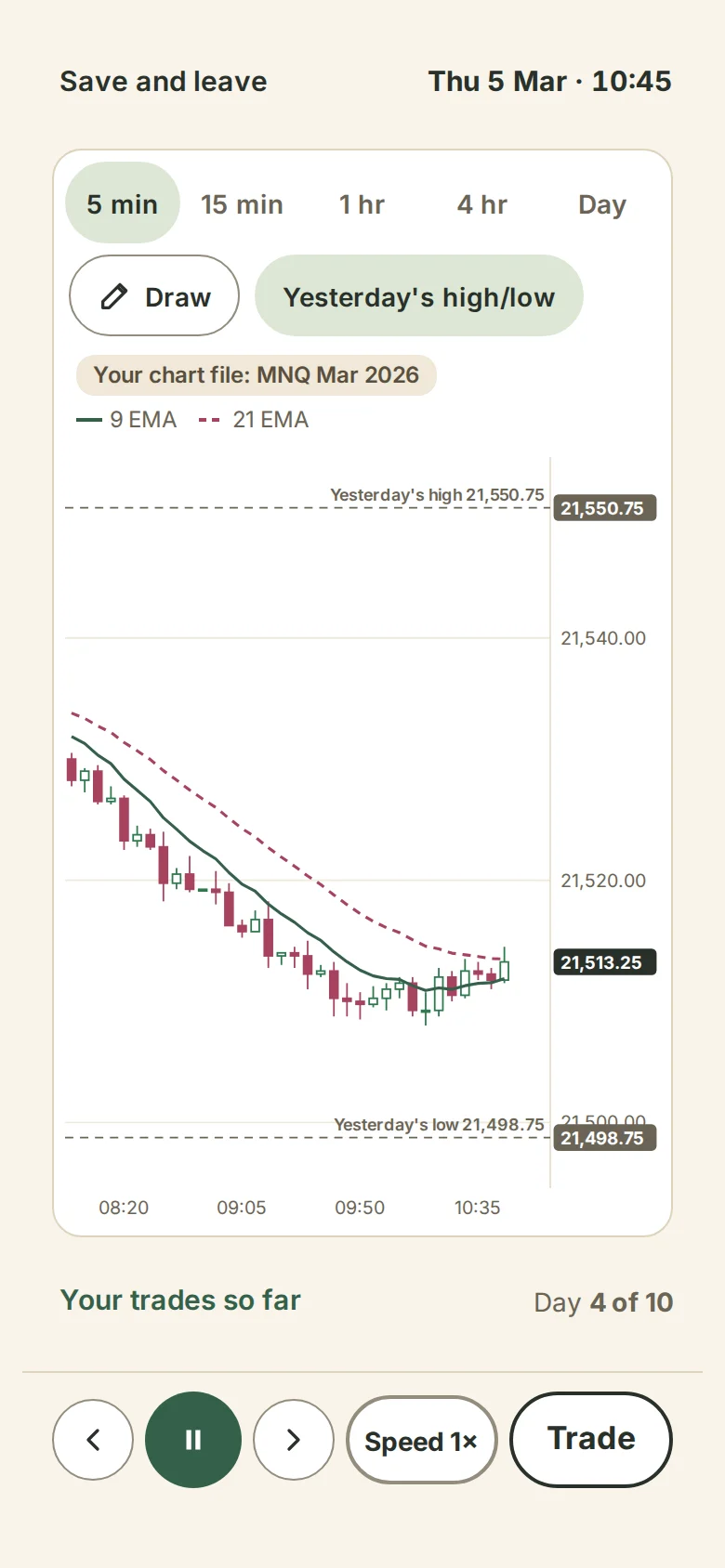
Replay shows the test you ran, exactly as it was saved when it finished. It never runs your rules again, so what you see always matches your results.
The controls
- Back and forward step one candle.
- Play and Pause, at 1×, 2×, 5× or 10×.
- Next setup jumps to the next candle where your rules found a setup, taken or not.
- Next trade jumps to the next trade.
- Jump to a date opens the first candle of that day.
On a computer, Space plays and pauses, the left and right arrow keys step, N goes to the next trade and W asks why there was no trade.
Why no trade here?
Choose Why no trade here?, or Why? beside a setup that wasn't taken, and drag the line to any candle. You see what your rules did there:
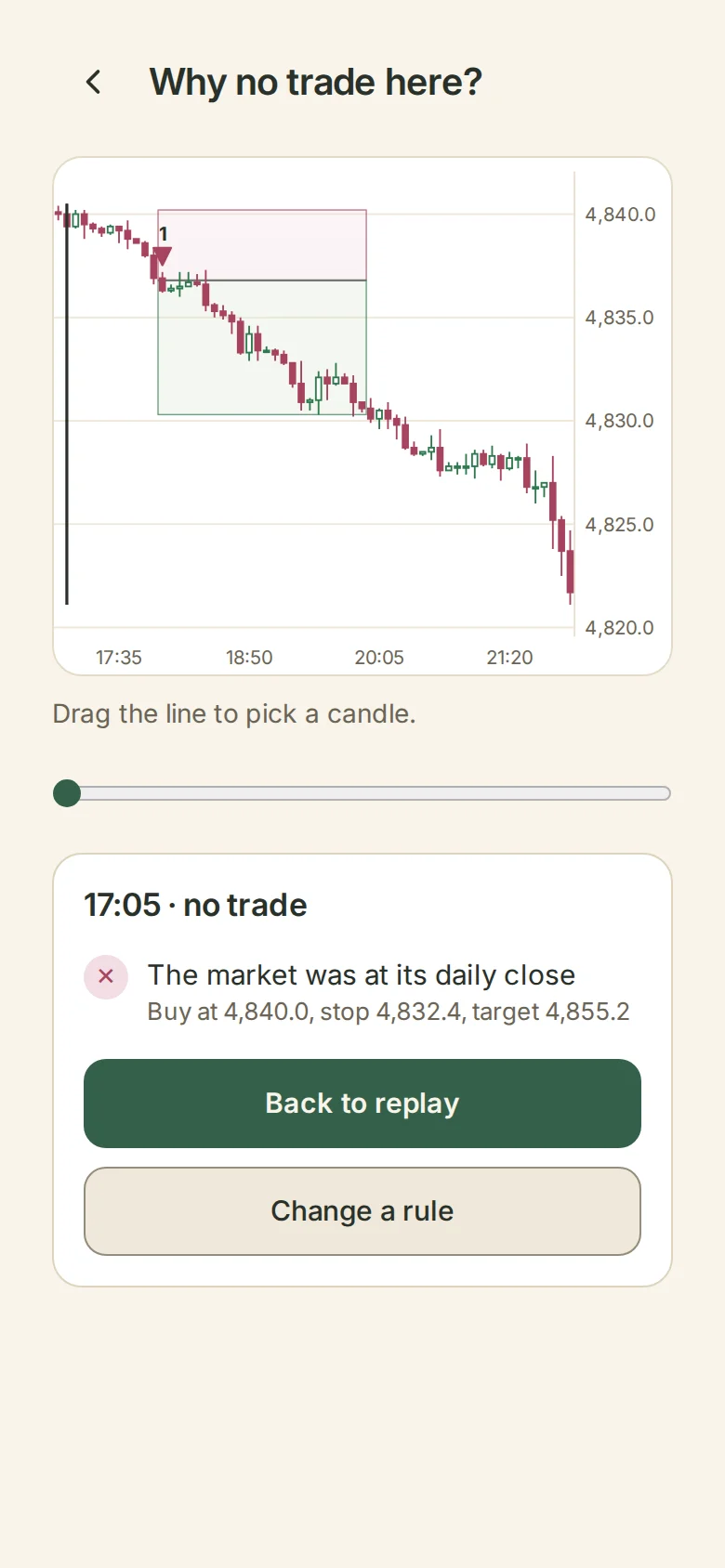
- a setup your rules didn't take, with the rule that stopped it and its prices, such as "Trade 20 still open" or "1 contract is over your $200 risk";
- a trade that opened, with its entry, stop and target;
- or that your rules found no setup on that candle.
Change a rule opens your rules. Changing one makes a new version, and a new test.
Replay needs your chart file
Your results show on any device, but the candles stay on the device where you added the chart file. On another device Replay says "Open Replay on the device with the chart file", or you can add the file there. Tests on the practice chart replay anywhere.