
What it does
Six parts, each with one job.
Studio, where you author strategies. Backtesting, with the assumptions on the face of it. Guardrails, for the rules on a funded account. Planner, for the arithmetic. Activity, for the record. Multi-account, for running one strategy across several accounts of your own.
Studio
Where you author strategies.
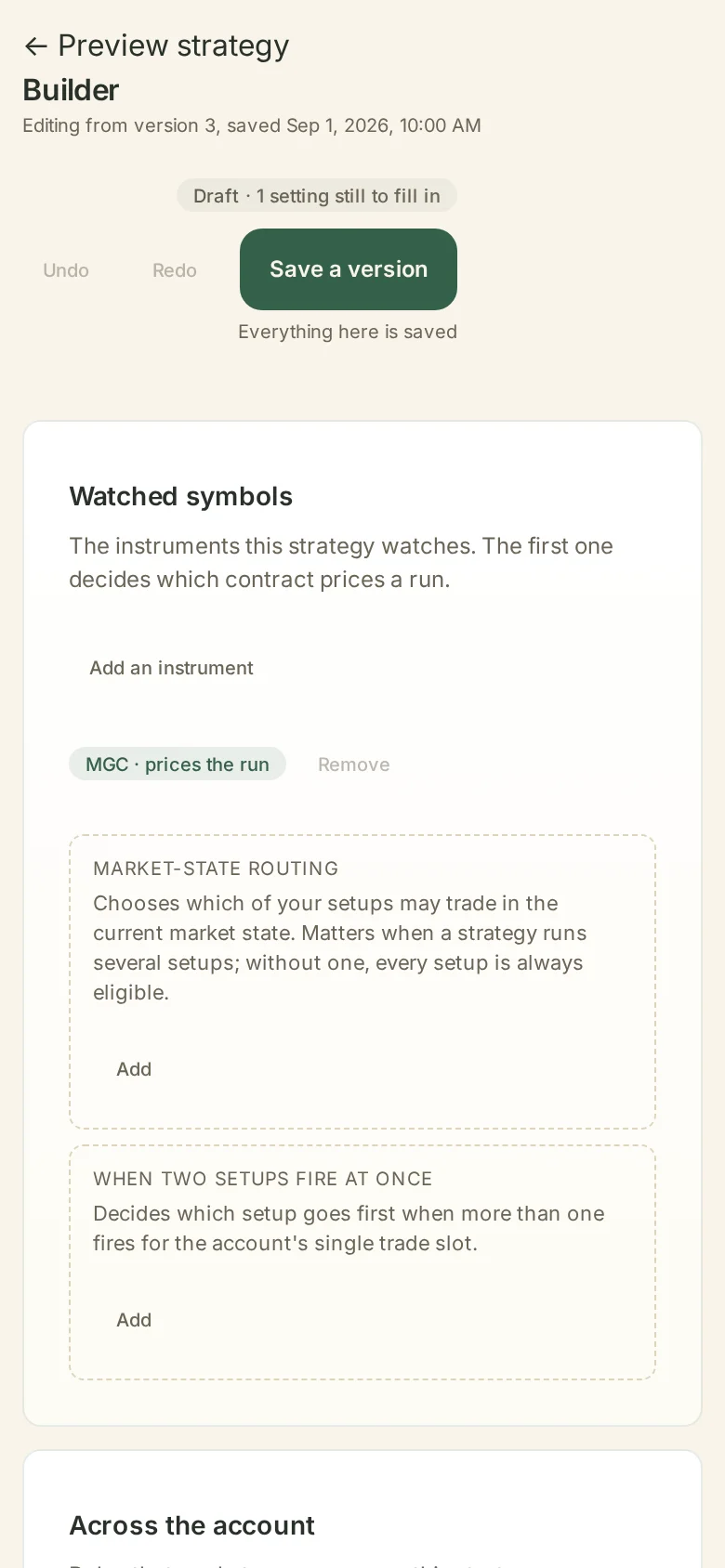
Block builder
Build the strategy on a chart, block by block. Each block is one mechanic with parameters you set: detects a candle closing above the highest high of the last N candles; places the stop N ticks beyond the entry candle; enters only between two times of day.
Blocks arrive with no numbers in them, and no single block is a complete strategy on its own. A block description says what the mechanic does. It carries no performance data and no popularity ranking.
Describe and transcribe
Say your strategy in your own words. The assistant writes it down as blocks, restates what it heard, and asks about anything it could not pin down.
It transcribes your strategy. It does not suggest values, it does not say what usually works, and asking it what you should use gets a straight refusal. Every parameter records whether you stated it or answered it when asked, and the transcript stays with the strategy.
Library and versions
Your strategies, your versions, your notes. Open two versions side by side and read the difference. Nothing is shared with another user unless you ask for it.
Per-phase profiles
One strategy can carry more than one named set of settings. Keep a profile for an evaluation account and another for a funded one, and switch between them yourself. You decide what goes in each profile.
Backtesting
With the assumptions on the face of it.
A backtest states what it assumed before it states what it found.
- Every result carries the assumptions it was produced under: the fill model, slippage, spread, order priority, the bar resolution, and how many bars the run had.
- Change an assumption and the result changes with it, in view, on the same screen.
- Results are shown as neutral grids. Nothing is labelled best.
- The history available for the window you chose is stated before you run, because it is what limits the test.
Trying a range is yours to drive
You choose the objective. You choose the ranges. Wildflower runs your strategy over your data and returns the grid. Reading the grid and deciding what to do with it is your work, and we keep it that way on purpose.
A backtest describes what a set of rules would have done under the assumptions you selected, over the data you had. It forecasts nothing, and we will never dress it up as though it does.
Guardrails
The rules on your account, as live meters.
Enter the rules that apply to an account: daily loss limit, trailing drawdown, consistency percentage, profit target, scaling caps. Guardrails shows the distance to each one while the account is trading.
Cross a line you set and the response you configured takes effect: alert only, stop new orders, or flatten and stop. Alert only is where every rule starts.
Where the line sits
- Firms differ, and firms change their rules.
- Wildflower shows the numbers you enter, plus factual reference information.
- Checking your firm’s current terms, and deciding what to do about them, stays with you.
- We do not switch features off per firm, and we do not tell you what your firm allows.
Planner
The arithmetic, in one place.
What it works out
Planner does the sums a trader usually keeps in a spreadsheet: how a firm’s thresholds interact, what a consistency window means across a set of days, how a daily risk budget you choose divides across the days you choose, and where an account sits against each threshold today.
What it leaves alone
You enter the inputs. Planner does the arithmetic and shows its working, so you can check it. It sets no targets for you, it recommends no numbers, and it predicts no outcomes.
Activity
Written from the decision log.
- Every trade is written up from the decision log: which conditions were met, in what order, at what time, and what the engine did next.
- The chart at entry is drawn around your fills, with the entry, the stop and the target marked where the record has them.
- You add tags and notes. Filter by strategy, by session, by account, by date.
- Nothing on the Activity page is graded or scored. It records what happened.
Why the bot writes it
The engine already knows why it acted, because it acted on a rule. Writing that down is a copy job, and the machine is better at copy jobs than a person is at 11pm. Your part is the part a machine cannot do: what you make of it.
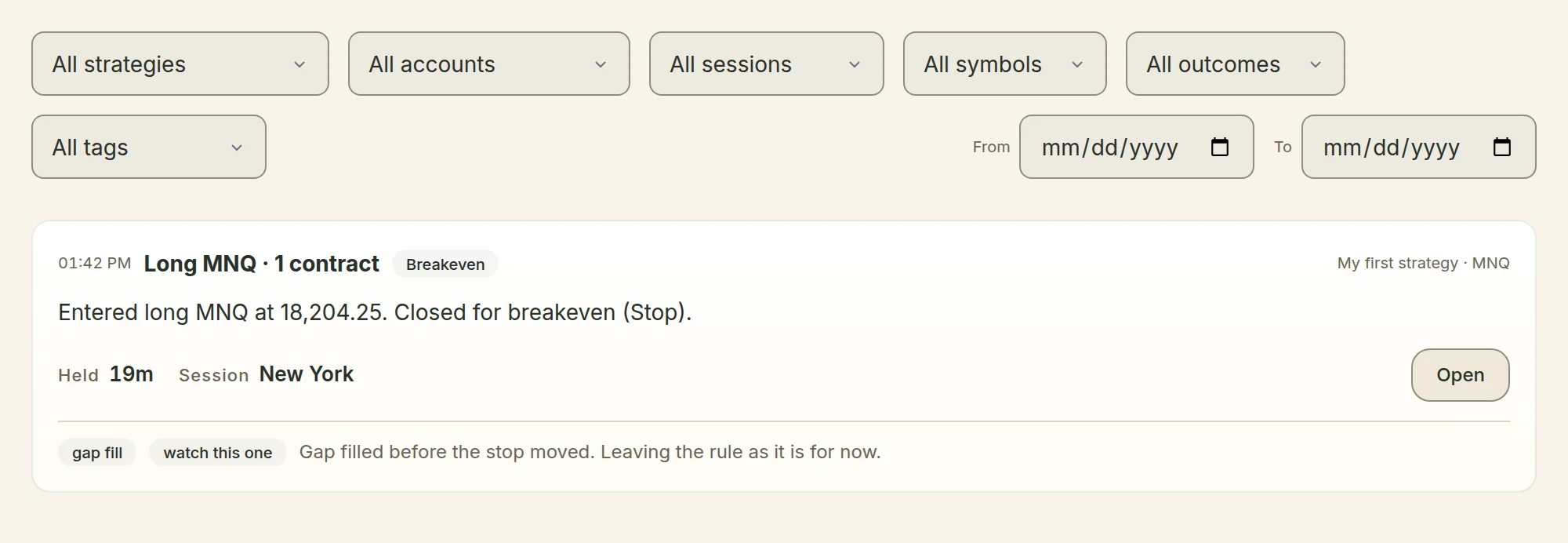
Where each part runs, plainly: your machine evaluates your rules and places your orders, and it is the only thing that does. The charts you read afterwards, on the Activity page and on the charts page, are drawn in your browser from bars Wildflower holds, so the record looks the same on your phone as it does on your desk. We will say so here rather than let the word “local” cover a picture it does not cover.
Multi-account
One strategy, several accounts of your own.
Run one strategy across more than one of your accounts, with the same settings or different ones. Each account runs its own instance, with its own state, its own guardrails and its own trade record.
Nothing moves between users unless somebody deliberately shares it with you. A mentor can send a strategy to people they work with; it arrives on a shelf in your library, named with the person who sent it, and adding it makes your own copy that never changes underneath you.
Trading futures carries risk. You can lose money.
We do not review or endorse anything shared that way, and people who share are Wildflower partners who may be paid a commission on your subscription, never on strategies. There is no leaderboard, no ranking of anybody’s strategies, no performance figure attached to a share, and no marketplace.