
Backtest runs your own strategy over past prices and shows you every trade it would have taken, with its entry, stop and target, and what each one made or lost. It runs the Bot's own simulator, in your browser, so what you see is what the Bot would do on the same candles.
Start
Open Backtest in the menu (on a phone, tap More) and choose how to start:
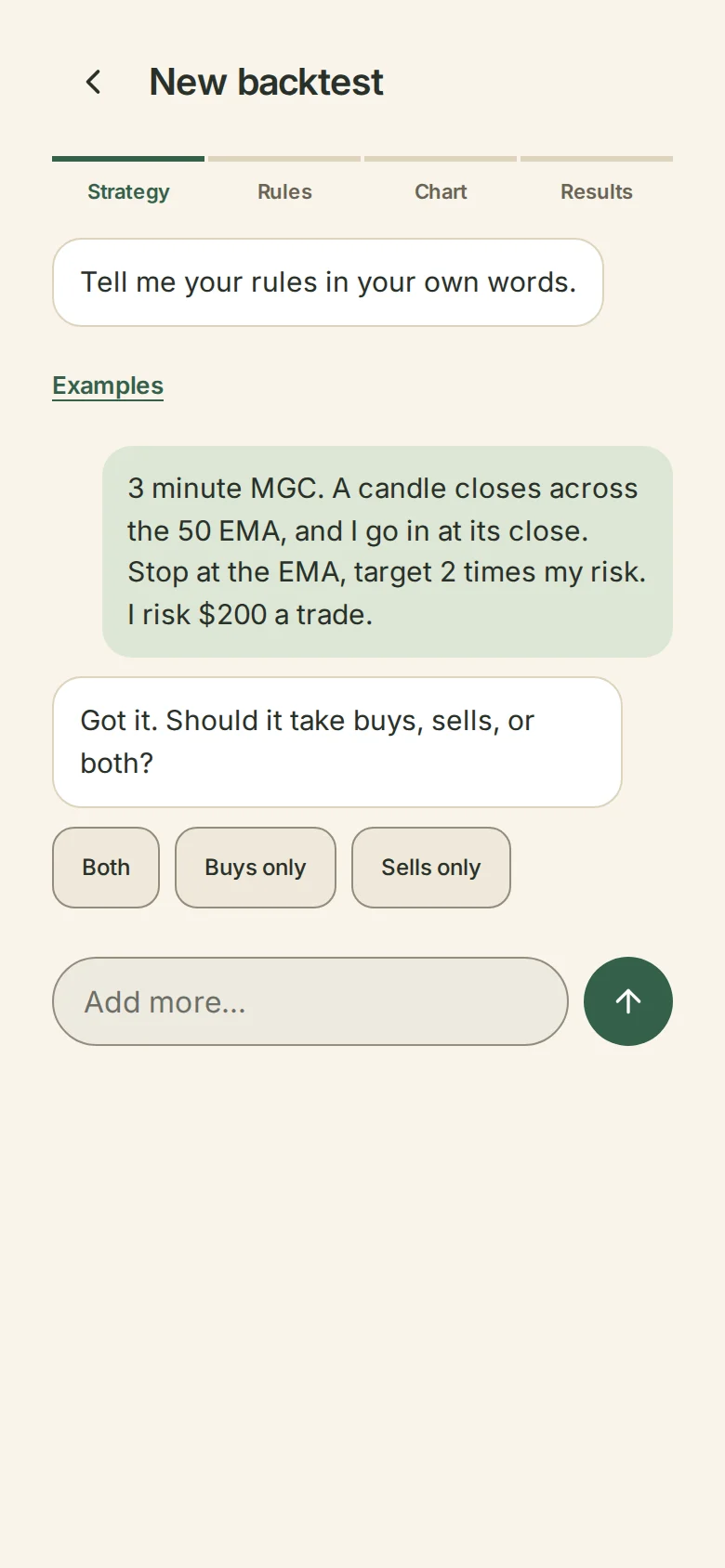
- Describe it in words. The same conversation as on Strategies. Write your rules and Wildflower asks until they are exact. It uses your monthly building allowance, like any description.
- Build it from blocks. The block builder opens. When your strategy is ready, choose Test it in Backtest.
- From one of my indicators. Pick an indicator and its rules come across as they are. You are then asked only what a trade needs that an indicator doesn't have: how much you risk per trade, which market, how the order is placed, your target as a multiple of the risk if the indicator marks none, and anything else the Bot needs a number for, such as the widest stop you'd take. Every answer starts empty. You can also choose Backtest this on an indicator in My indicators.
Whichever way you start, it is one strategy on your Strategies page, the same one the Bot would run.
Check your rules
Your rules reads your strategy back in plain words, with its version. Tap a rule to change it in the builder.
How big is each trade?
Choose one of the Bot's four ways to size a trade, and type its number. Nothing is chosen for you and every box starts empty.
- Dollar amount per trade. Each trade risks this many dollars, up to your maximum.
- Number of contracts. Each trade takes this many contracts.
- Percentage of account. A percentage of your account balance at the start of each trading day. You type your account size; the balance then moves with your test's own profit and loss, after fees.
- Percentage of remaining drawdown. A percentage of the room between that balance and your loss limit. You type your account size, and whether your loss limit stays at one balance (type that balance) or moves up with your highest end-of-day balance (type how far below it sits). A limit that moves with your balance during the day can't be tested this way.
Your maximum dollar risk per trade, from your rules, applies on top of every way: no trade risks more. A stated number of contracts that would risk more is sized down, and a trade that can't be sized within it isn't taken. The Bot's own sizing does all of this, so the contracts on each trade are the Bot's.
When it reads right, choose Looks right.
Choose a chart
- Practice chart. Made-up prices, so you can see how it works. It is free, and its results aren't real.
- My chart file. A file you export from your charting platform. Testing on it needs the Backtest plan. See Backtest on your own chart file.
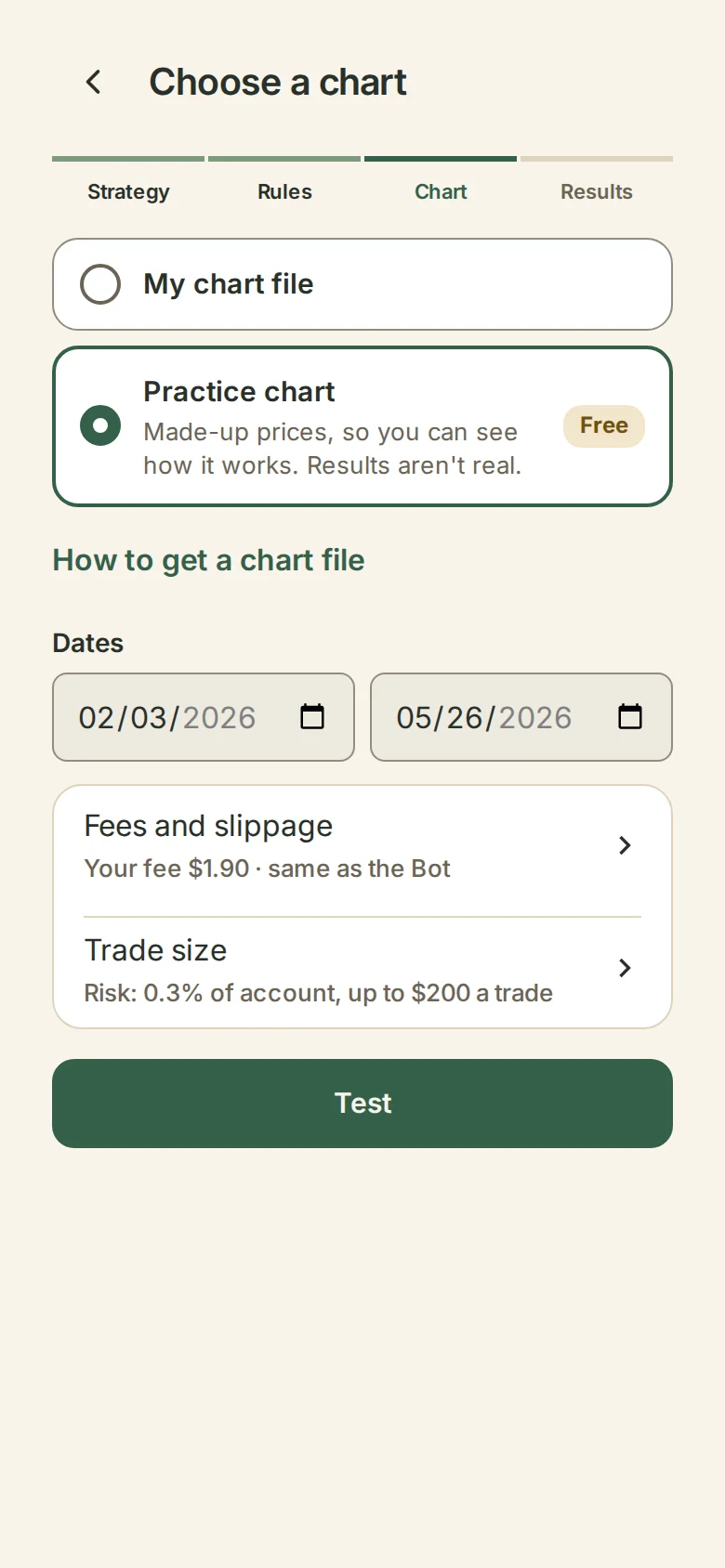
Choose your dates, then Fees and slippage: your broker's published fee, a fee you type in dollars per contract for the round trip, or leave fees out. Slippage is the Bot's own: market orders fill 1 tick worse, stops fill 1 tick past, and targets fill only if price trades through. Under More you can add extra ticks of your own.
Test
Choose Test, then how to test:
- Show me the results. Your rules run over your dates in seconds. Stop ends it and keeps your settings. When it finishes, your results open and are saved to your account.
- Replay it and trade it yourself. You take or skip each trade as the days play. See Replay a strategy and trade it yourself.
The Backtest plan
Everything works on the practice chart for free. Testing on your own chart file is where you subscribe: $99 a month, or $399 a year. It includes the Indicator. After paying, your test carries on. Free-time codes go in Have a code?.