
Top-down, part 5: let Wildflower do it each day
Wildflower Trading School · Lesson 2.9.4.10 · This exercise needs a Trade subscription

This is the last of five parts on doing a top-down analysis in Wildflower. In parts one to four you wrote your plan by hand, traded it and scored it. Today you hand the parts that follow the same rules every day to Wildflower.
1 of 14
What you'll learn
- Describe your levels once. Wildflower draws your map each day.
- Put the trend and the room into your strategy with the Key levels map filter.
- Put your target on the next level, and your daily stop in Daily limits.
- Backtest with and without these steps and read which trades changed.
- Choose who trades it, you by hand or the Bot.
Exercise
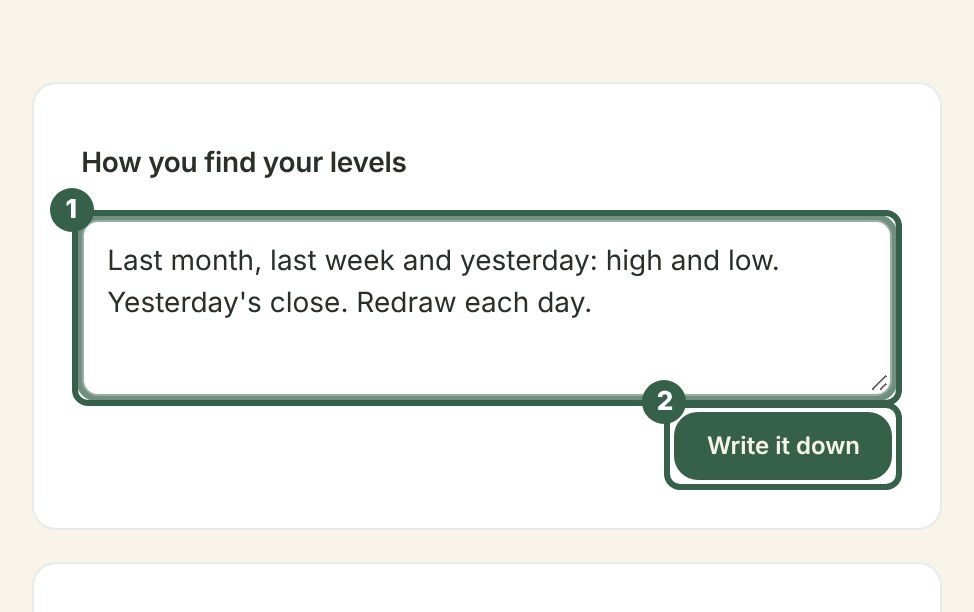
- Describe your levels. On Key levels, write how you find them under How you find your levels and press Write it down. Answer any questions.
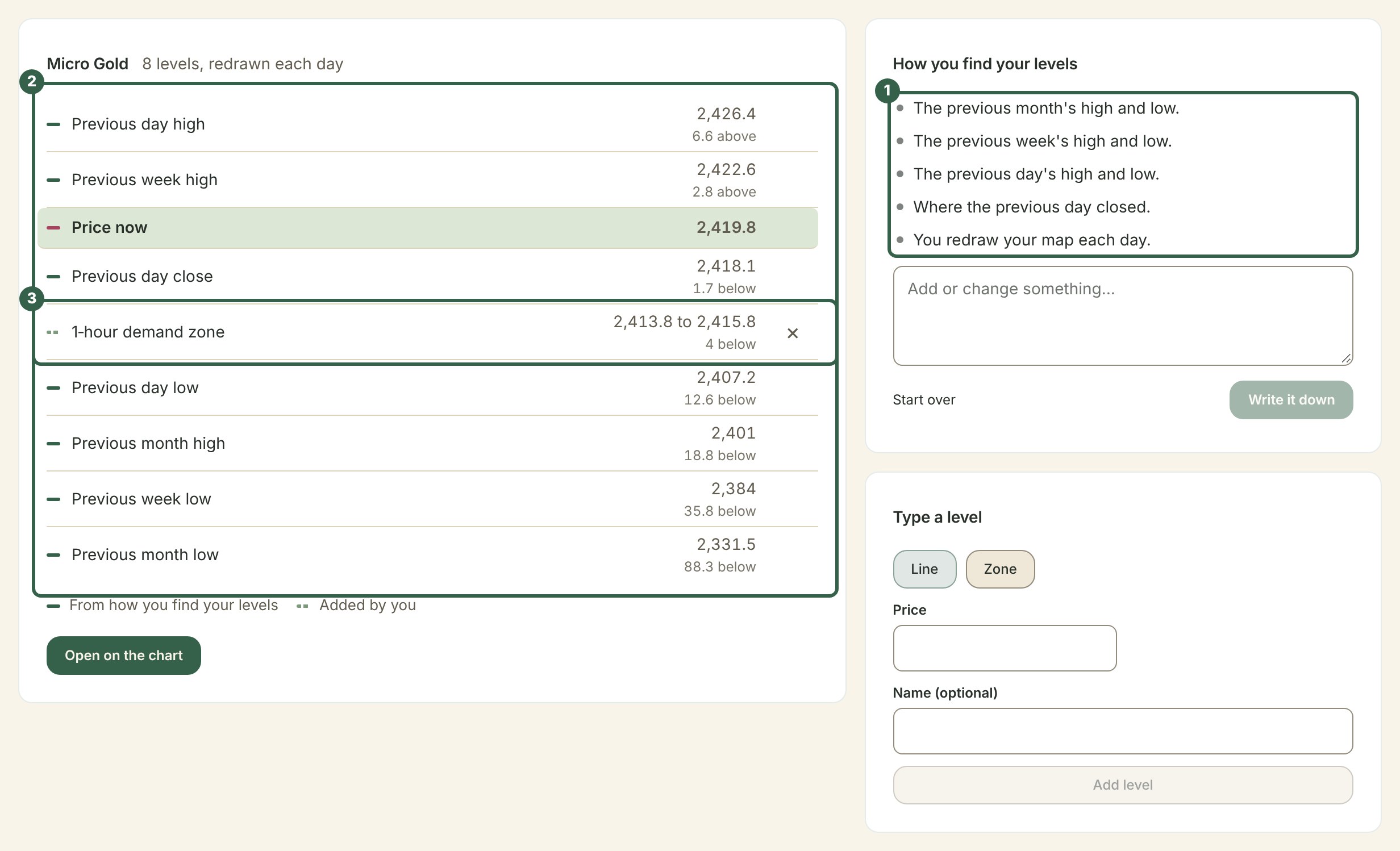
- Check your map. Read the list of rules and the levels it drew. Add a zone by hand if your plan has one.
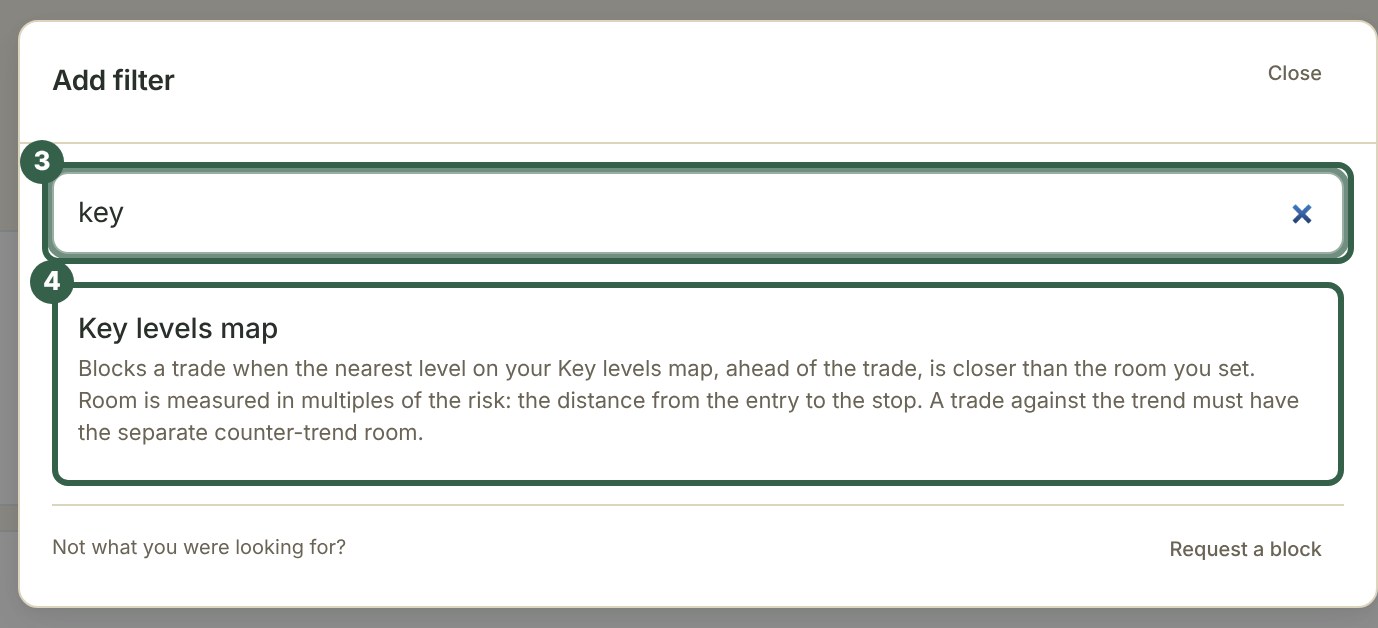
- Add the filter. In Studio, open your strategy, press + Add a step, choose Filter and then Key levels map.
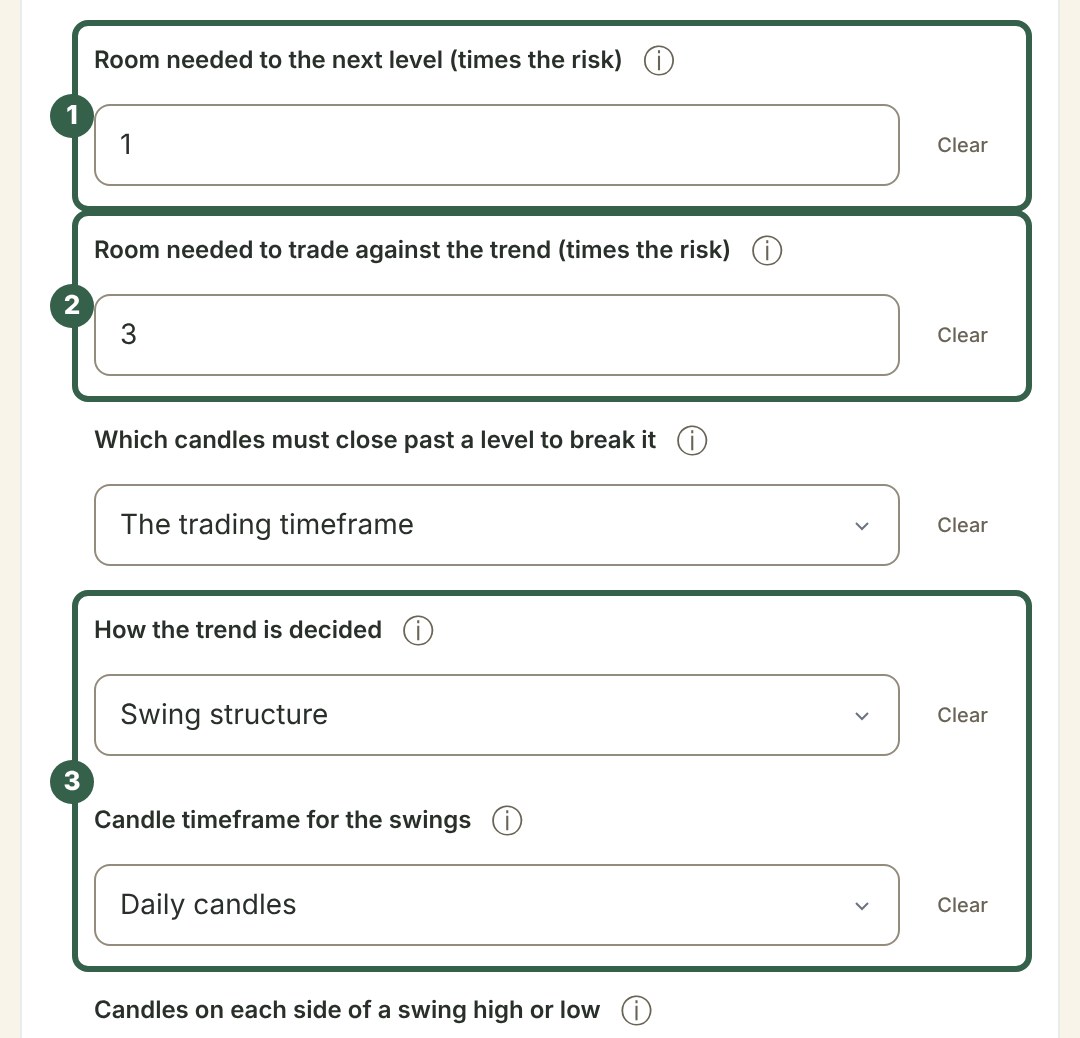
- Fill in the trend and the room with the numbers from lines 1 and 5 of your plan.
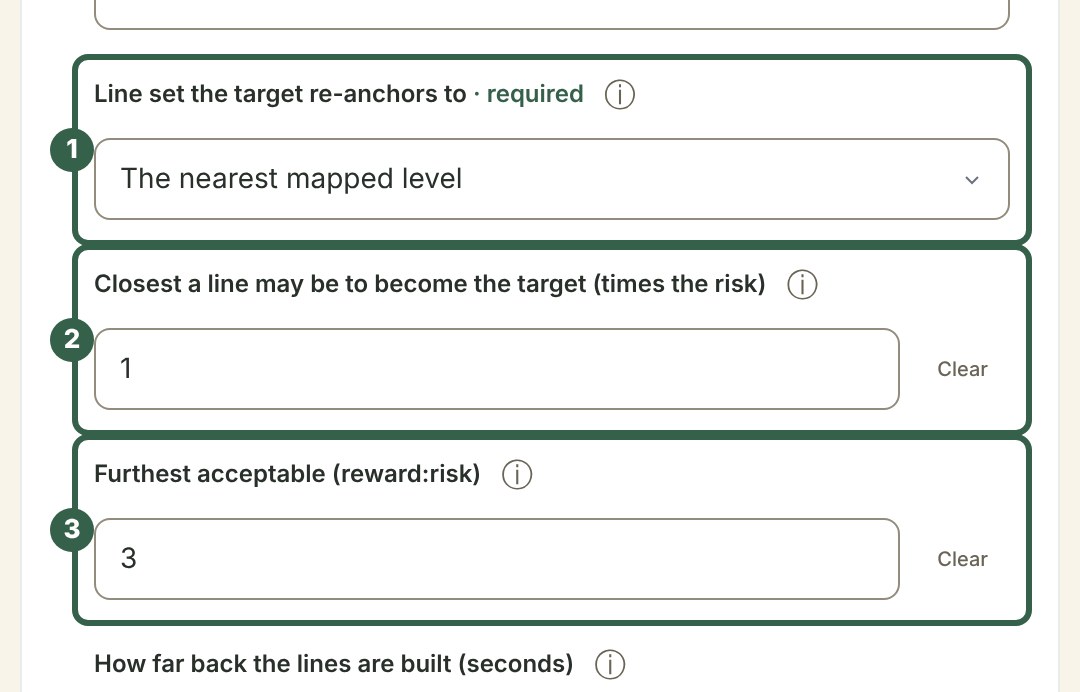
- Put your target on the next level. In Fixed target, choose The nearest mapped level, with your closest and furthest R.
- Set Daily limits from line 6 of your plan, then press Save.
- Backtest with and without. Run both versions in Backtest, open Compare, and open the trades only one version took.
- Help article Your Key levels map
- Help article My backtests and comparing runs
- Help article Your daily safety limits
Quick check
1. Sam's rule is at least 1R of room to the next level. What does he type in Room needed to the next level?
2. Why do the money figures in Sam's Compare mean nothing?
3. Sam sets Daily limits in Studio. When the Bot trades, which daily limits does it use?
0 of 3 answered.
Finished this lesson?
Tick it off and keep your place
Read the full notes
Most of a top-down plan follows the same rules every day, so Wildflower can do those parts for you. Describe how you find your levels once and Wildflower draws your Key levels map each day. In Studio, the Key levels map filter checks the trend and the room, the Fixed target can sit on the next level, and Daily limits stop the test for the day. Then you backtest with and without these steps, and choose whether you keep trading by hand or let the Bot trade it.
What you're doing. This is the last of five lessons on a Looking at the same market on more than one timeframe, such as a bigger one for the overall picture and a smaller one for detail. Also called top-down analysis.More in the glossary in Wildflower. In part 4 you traded your plan by hand and scored it. Today you hand the parts that follow the same rules every day to Wildflower. Sam is made up, and so are his numbers.
| Your plan | In Wildflower |
|---|---|
| Lines 2 and 3: levels and zones | Your Key levels map, drawn each day from your words. Describe how you find your levels |
| Line 1: the trend | The Key levels map filter. Check the room to the next level before you trade |
| Line 5: the room | The same filter, and a target on the next level. Put your target on the next key level |
| Line 6: when you stop | Daily limits |
| Line 4: your entry | Your strategy's signal |
There's no setting for never. A trade against the trend always needs its own room. Sam asks for 3R, so a sell against an up trend rarely happens. Your number is yours to choose.
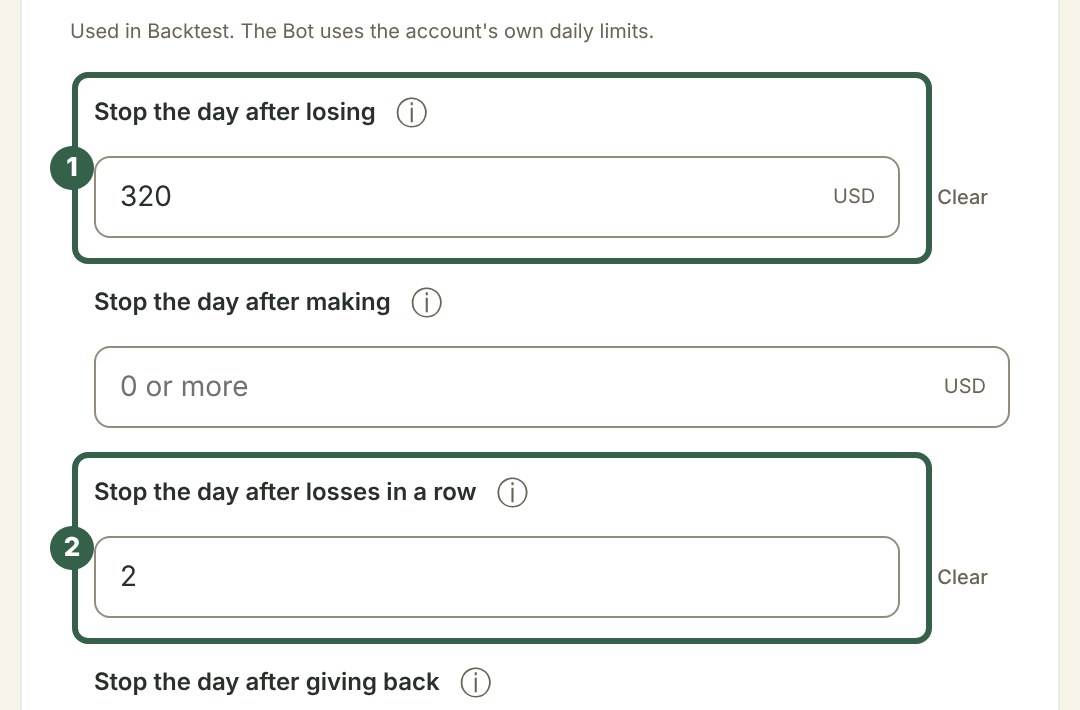
Line 6 for the Bot. Daily limits in Studio are used in Backtest. When the Bot trades, it uses the daily limits you set on the account: Set your Bot's limits before real money.
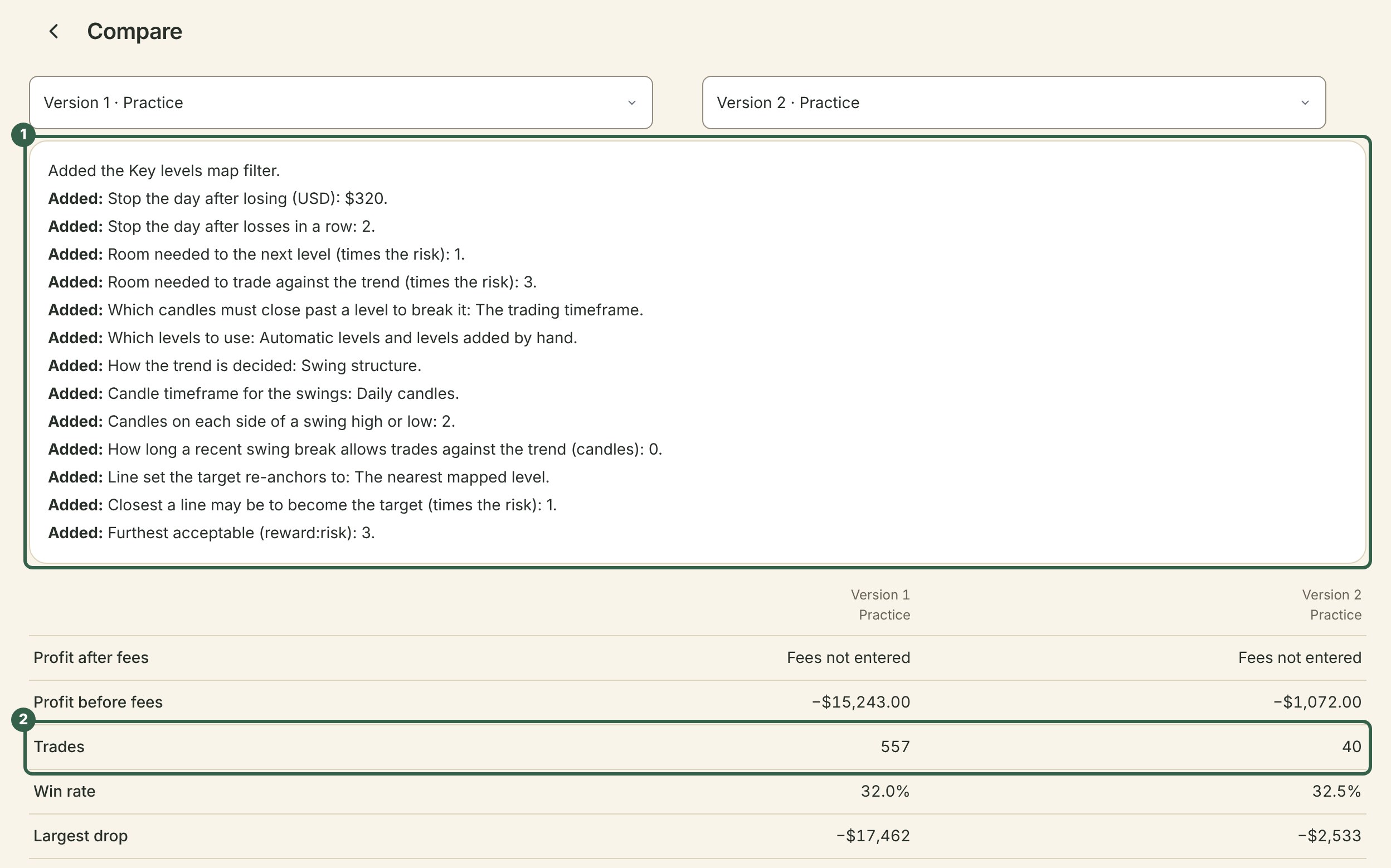
Backtest with and without. Save, backtest the version without the steps and the version with them, then open Compare. Open the trades only one version took to see why. More in Compare two versions, then try the demo.
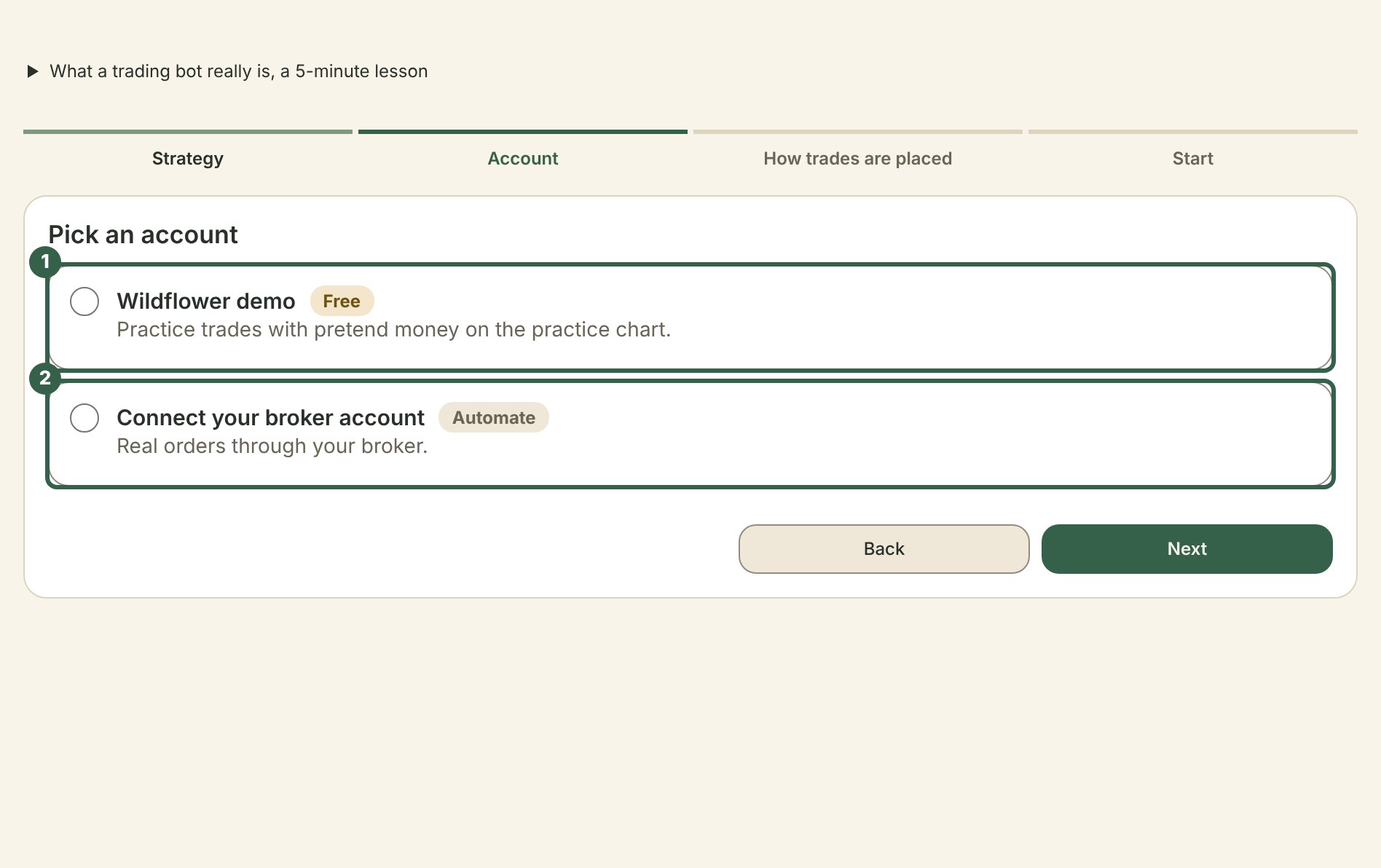
How traders use it. We can't tell you which to choose. These are the common choices, and the choice is yours.
| Common choice | What it means |
|---|---|
| Keep trading by hand | Wildflower draws your map each day. You do the rest, as in part 4. |
| Test the plan, trade it by hand | Your plan's steps go into a strategy you backtest, and you still place the trades. |
| Let the Bot trade it | The Bot trades the whole plan, on the demo first, then on your broker. |
Your Key levels map, the Key levels map filter and Backtest on your own prices come with the Trade subscription. Backtest on practice prices and the Bot on the Wildflower demo are free. The Bot on your broker needs Automate.
Worked example
Made-up numbersSam's plan in Wildflower
Sam trades micro gold on the 5-minute chart. His stop is 40 ticks, so 1R is $160 on 4 contracts, and he risks $200 a trade. These are made-up numbers.
- Lines 2 and 3: he describes last month, last week and yesterday, high and low, and yesterday's close. Wildflower draws 7 levels each day, and his zone stays: 8 in all.
- Line 1: the trend from daily swings. Line 5: at least 1R of room, and 3R against the trend.
- Target: the nearest level between 1R and 3R.
- Line 6: stop the day after losing $320, or after 2 losses in a row.
- He backtests with and without, then opens the 520 trades only the first version took.
His plan now runs the same way every day, and he can test it on months of prices before he decides who trades it.
Trading is risky. You can lose money. This lesson shows how Wildflower works. It isn't advice.